
Google Business Profile for Self Storage: The Setup That Drives Calls
Quick answer
A strong Google Business Profile for self storage starts with the right primary category (Self-storage facility), your real business name with no keywords, office hours as your main hours, and a verified address with permanent signage. Then add your unit types as services, real photos of the gate, office and units, regular posts and offers, and a steady flow of honest reviews with replies. Track calls, direction requests and website clicks in the Performance report every month.
When someone types “storage units near me”, Google often answers with a map of nearby facilities, each with a call button one tap away. Your Google Business Profile for self storage is what fills that spot. It’s free, you control most of it, and it puts your phone number in front of renters while they’re choosing.
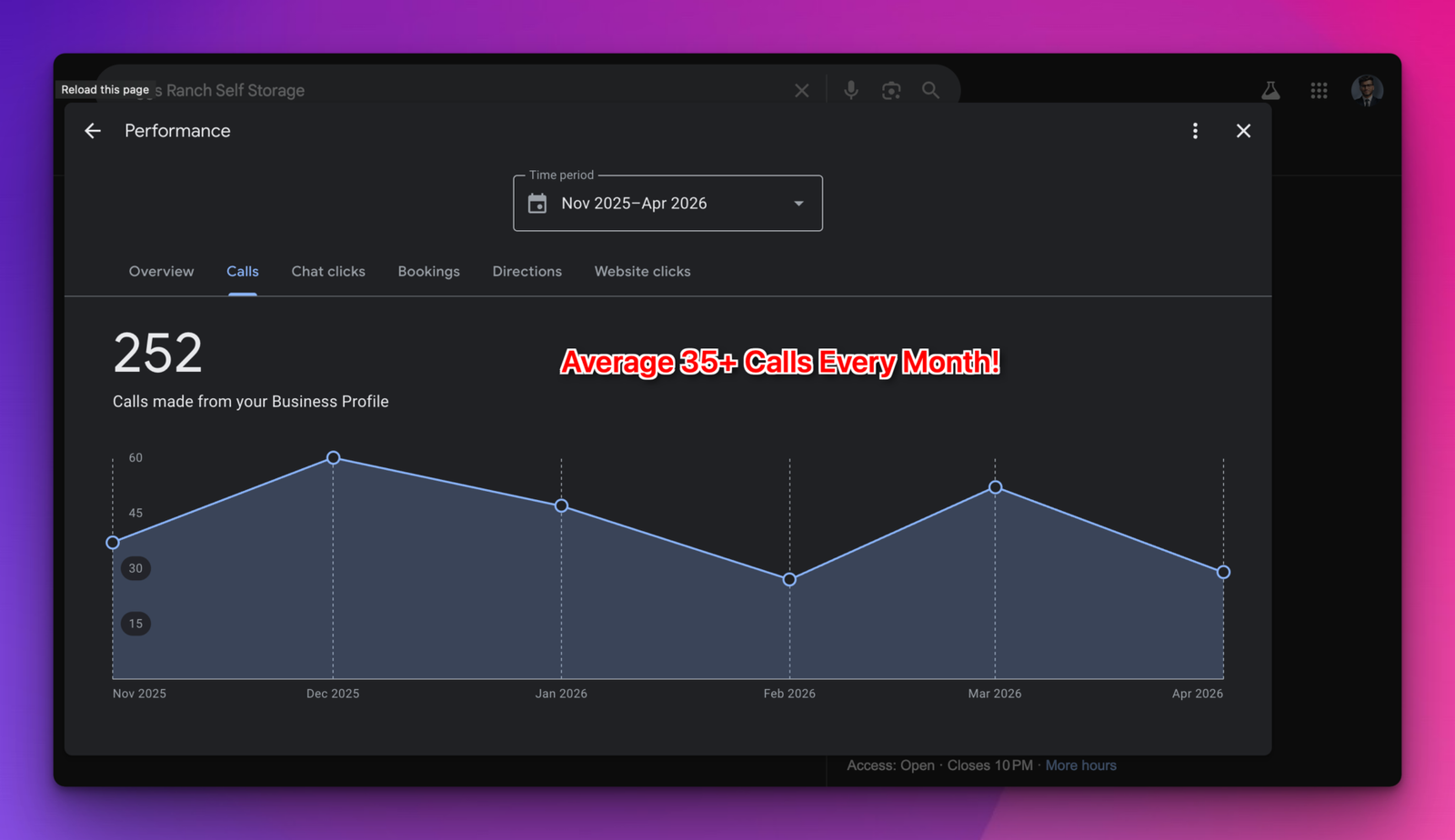
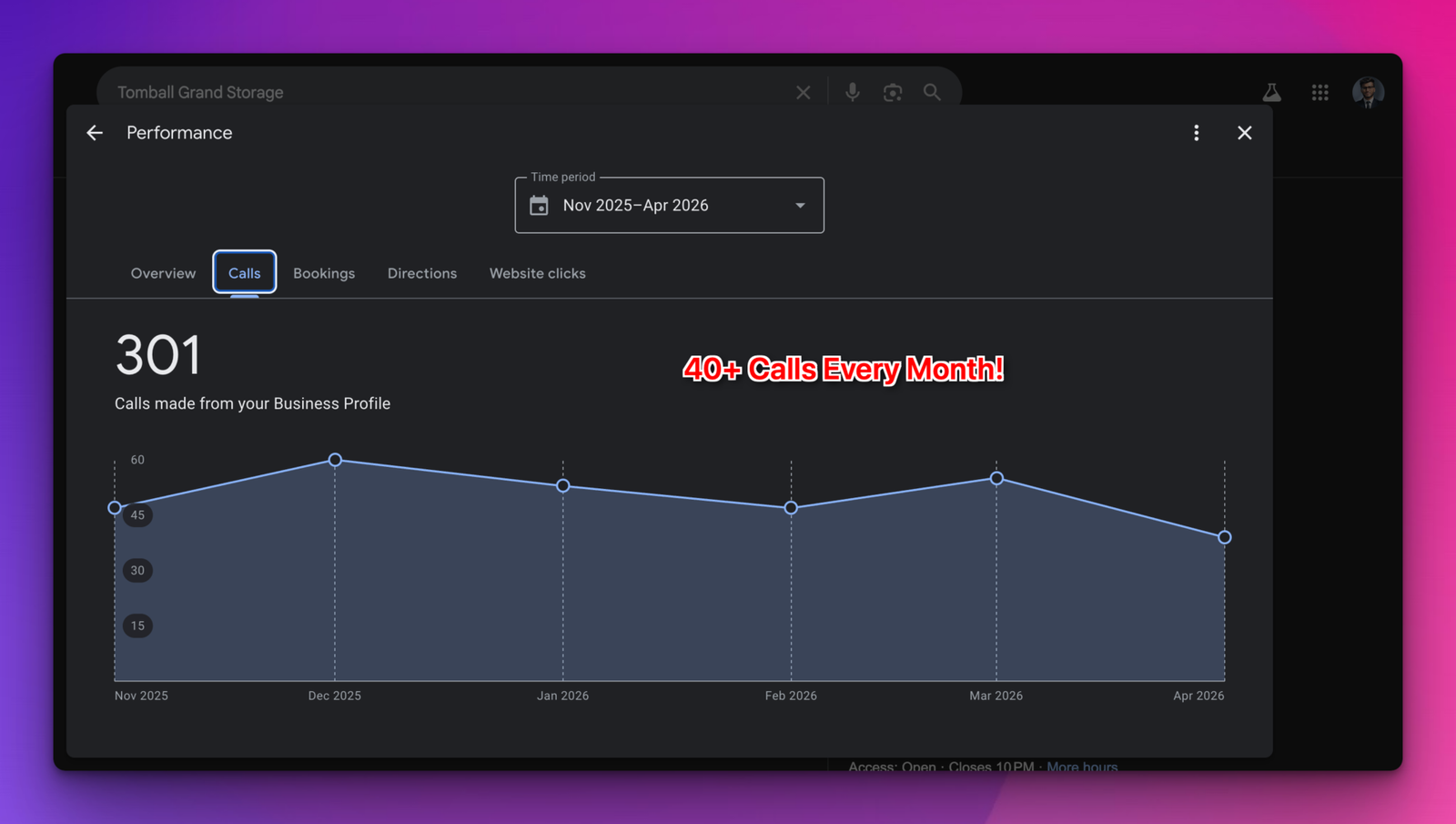
I manage Google Business Profiles, websites and social media for facilities run by Joules Storage Management in Texas. After a full Google Business Profile optimization, Briggs Ranch Self Storage got 252 calls from its profile between November 2025 and April 2026, more than 35 a month on average. Tomball Grand Storage got 301 calls from its profile over the same months, more than 40 a month. The screenshots are in the results section.
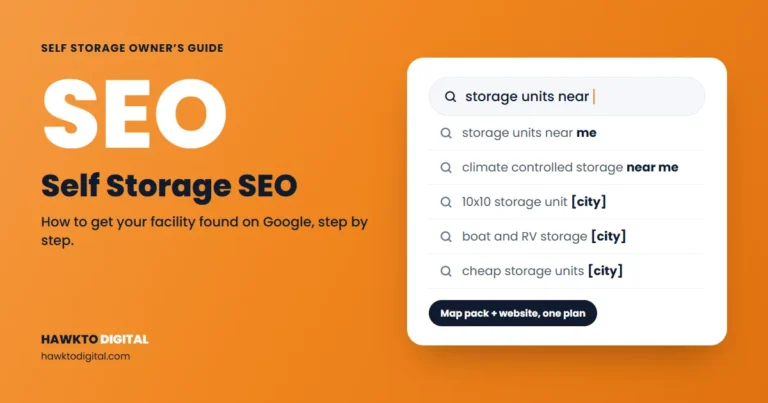
This is the setup I use, field by field, with every rule checked against Google’s own help pages. If you want a quick read on your facility website too, run the free self storage SEO audit.
In this guide
- How Google picks which facilities to show
- Choose your self storage categories
- Use your real business name
- Address, service area and hours
- Verify your facility
- Description, services, products and attributes
- Photos and videos
- Posts and offers
- Reviews: asking, rules and replies
- Questions and messaging: what still works
- Managing many facilities
- Track calls, directions and website clicks
- Google Business Profile for self storage: results
- Frequently asked questions
- Sources
For storage owners and managers
Want this done for your facility?
I market self storage facilities in Texas, including Briggs Ranch Self Storage, which got 252 calls from its Google Business Profile in 6 months. See how I can help with self storage marketing.
See self storage marketing servicesScore your facility website free
How Google picks which facilities to show
Google ranks local results on relevance, distance and prominence. Relevance is “how well a Business Profile matches what someone is searching for”. Prominence is how well known you are, and Google says “more reviews and positive ratings can help your business’s local ranking” (Google Business Profile Help).
You can’t move your facility, so “storage units near me” ranking comes down to relevance and prominence. Relevance comes from your category, services, description and website. Prominence comes from reviews, links and local reputation. Google also says businesses with “complete and accurate info are more likely to show up in local search results”, so every field below counts.
I walk through my full Google Business Profile optimization process in this video:
For ranking work beyond the profile itself, see how to rank higher on Google Maps.
Choose your self storage categories
Your primary category is the strongest relevance signal you control. Google asks you to “select a primary category that best describes your business” and says “Do not select a category for every product or service” (Google). Its guidelines add: “Use as few categories as possible”, and pick ones that complete the sentence “This business IS a”, not “this business HAS a” (Google).
These are the storage categories I found on live Google listings in November 2026:
| Category | Use it as | When it fits |
|---|---|---|
| Self-storage facility | Primary | You rent units that customers fill and access themselves. |
| RV storage facility | Additional (primary for RV-only sites) | Dedicated RV parking is a real part of the business. |
| Boat storage facility | Additional (primary for boat-only sites) | You store boats and trailers. |
| Storage facility | Usually skip | The broader label adds little once Self-storage facility describes you. |
This week: search “self storage [your town]”, note the categories of the top three facilities, and check that every one of yours passes the “IS a” test.
Use your real business name
Your profile name should be the name on your sign. Google says: “Including unnecessary information in your business name isn’t permitted, and could result in the suspension of your Business Profile.” Banned extras include taglines, location details, service descriptions, phone numbers and URLs (Google).
“[Name] Self Storage” is fine if that’s your sign. “[Name] Self Storage | Climate Controlled Units [Town]” is keyword stuffing. Competitors do it, but it risks the whole profile, and a suspended profile earns zero calls.
This week: make sure your profile name matches your road sign, website header and lease paperwork.
Address, service area and hours
Address
Use your real street address. Google says businesses showing an address should “maintain permanent fixed signage of their business name at the address”, rules out P.O. boxes and virtual offices, and allows one profile per location (Google). Check that the map pin sits on your entrance, so directions end at the gate.
Service area
Most facilities serve customers at their address, so they don’t need a service area. Google only lets service-area or hybrid businesses set one, with up to 20 areas (Google). Add one only if you really travel to customers, such as delivering portable containers.
Office hours vs gate hours
Google’s guidelines answer this in one line: “Storage facilities: Use office hours. Otherwise, use front gate hours” (Google). If your office is staffed, your main hours are office hours. If there’s no office, use gate hours.
Google lets you set “more hours” for features with different times (Google), but its guidelines say these should generally be “a subset of your primary hours”. Gate hours are usually longer than office hours, so they don’t fit that rule. State your gate access hours in your description and on your website instead, and set special hours for holidays.
This week: set office hours as your main hours and add special hours for the next holiday.
Verify your facility
Do this first. Google says verifying “tells Google that you’re authorized to represent the business, so it’s more likely to show up in search results” (Google). Google picks the methods you’re offered: video recording, phone or text, email, live video call or postcard. Review can take up to 5 business days (Google).
If you’re offered a video recording, Google recommends it. It must be “an unedited, unique, and complete recording with no breaks”, at least 30 seconds, and captured live (Google). At a facility, plan a short walk:
- Start at the street: road signs or nearby businesses.
- Show your business name on a permanent sign, matching the profile exactly.
- Show something only staff can access. Google’s examples are a cash register or point-of-sale system. At a facility, that could be opening the locked office or your management software at the counter.
With a postcard, most codes arrive within 14 days and expire after 30. Don’t edit your name, address or category while you wait, and don’t request a second code (Google).
Description, services, products and attributes
Description
You get 750 characters, with no URLs or HTML. Google says to “focus primarily on details about your business instead of details about promotions, prices, or sales” (Google). Cover unit types, climate control, vehicle parking, security, gate access hours, the roads and neighborhoods you’re near, and how to rent. Save move-in specials for an offer post.
Services for unit types and sizes
Services are available for certain categories, with suggested and custom options, and each can have a price and description (Google). If your profile shows them, list each unit type you actually rent as its own service:
- Small units (such as 5×5 and 5×10), with what fits in them
- Medium and large units (such as 10×10 to 10×30)
- Climate-controlled and drive-up units
- RV, boat and vehicle parking, covered or open
- Business storage
Add prices only if someone will keep them current.
Products
If you sell locks, boxes and moving supplies, Google’s product editor is built for local stores selling physical goods, and products must follow the Shopping ads policy (Google).
Attributes
Attributes are yes-or-no details such as accessibility, payments and identity labels like veteran-owned. Options vary by category and country (Google). Set every one that’s true.
Photos and videos
Google accepts JPG or PNG photos from 10 KB to 5 MB, recommends 720 x 720 pixels, and wants them “in focus and well lit” without heavy filters. Videos can run up to 30 seconds and 75 MB, at 720p or higher (Google). My starting shot list for a facility:
- Exterior and sign from the street
- Gate and keypad
- Office, inside and out
- Drive aisles, with room for a moving truck
- Open units in each common size
- Climate-controlled hallways, if you have them
- RV and boat parking
- A short walk-through video from the gate to a unit
This week: take 10 fresh photos on a sunny morning and upload them, then add a few each month.
Is your website helping your Google profile?
Every website click on your profile lands on your site. If that page doesn’t show units, prices and a clear way to rent, the renter goes back to the map. See how your site scores.
Posts and offers
Google has three post types: updates, offers and events. Offers need a title, dates and times, can include a coupon code and terms, and get a “View offer” button. Posts older than 6 months are archived unless a date range is set, and a phone number in a post’s text can get it rejected (Google). Ideas that suit storage:
- Your current move-in special, as an offer with real dates
- Units that just opened up, such as climate-controlled 10x10s
- Seasonal needs: college move-outs, winter RV and boat storage, renovations
- Holiday office hours
This week: publish one offer with an end date, then plan an update every week or two.
Reviews: asking, rules and replies
How to ask
Google suggests a review link or QR code, and customers need a Google Account to post (Google). Send the link by text or email the day of a smooth move-in, and keep the QR code at the counter.
What’s against the rules
“Leave a review, get a discount” breaks Google’s rules. Offering “free or discounted goods or services” for reviews is “strictly prohibited” (Google). Google’s content policy also bans businesses that “discourage or prohibit negative reviews, or selectively solicit positive reviews”, and says they shouldn’t “require or pressure users” to review on the premises. The policy also lists current or former employment as a possible conflict of interest, so staff shouldn’t review their own facility (Google). Ask every tenant, and never trade a free month for a review.
How to reply
Replies are public, appear as your business, and the reviewer is notified (Google). Thank people and mention something specific. For a negative review, apologize, state the facts calmly without account details, and give a way to reach the manager.
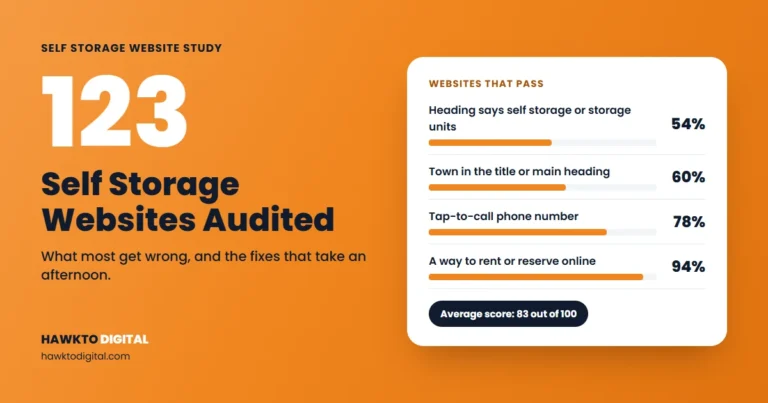
Show reviews on your website too. In my study of 123 independent self storage websites, only 46% showed customer reviews on the homepage.
Questions and messaging: what still works
- Business Profile chat is gone. “As of July 31, 2024, the chat and call history features are no longer available in your Business Profile” (Google). In select regions, verified businesses can add a WhatsApp or text messaging option instead (Google). Add a text number only if someone will answer quickly.
- Questions and answers varies by place. Google says it’s “only available in certain countries and regions” (Google Maps Help). Don’t build your plan around it. Put answers about gate hours, unit sizes and what renters can store in your description, services and website FAQ, where you control them.
Managing many facilities
Google says “If your business has 10 or more locations you can add, verify, and manage them in bulk”, using a business group that lets you “safely share management of your locations with multiple users” (Google). Some profiles are verified instantly through bulk verification (Google), and attributes can be bulk uploaded (Google). Rules I follow for portfolios:
- One profile per facility, each with “a local phone number instead of a central call center helpline number whenever possible” (Google).
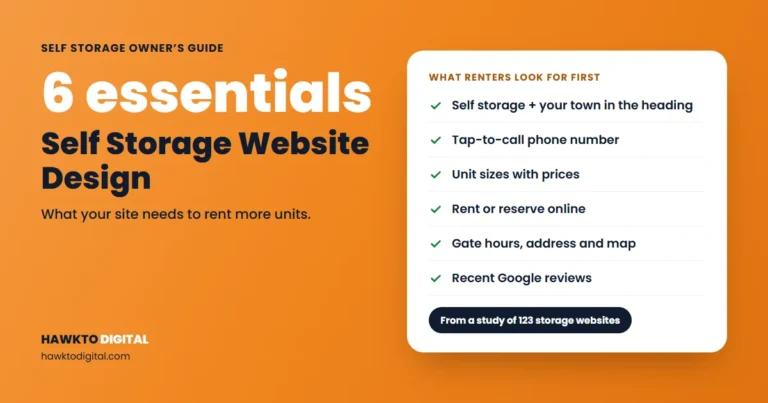
- Link each profile to its own location page, since Google asks for a website “that represents your individual business location”. My self storage website design guide covers what those pages need.
- Keep the owner as primary owner of each profile, and give agencies and site managers manager access.
- Use one template for descriptions and services, then customize each with local roads, landmarks and real photos.
Track calls, directions and website clicks
The Performance report works only for verified profiles (Google). The numbers that matter for a facility:
| Metric | What Google counts | What to do with it |
|---|---|---|
| Calls | Taps on your profile’s call button | Compare month to month and against move-ins. |
| Directions | Direction requests, adjusted for repeat taps and spam | Keep the pin on your gate entrance. |
| Website clicks | Clicks on your website link | Make sure the page shows units, prices and a way to rent. |
| Searches | Terms people used to find you, updated monthly | Reuse that wording in services and posts. |
Since call history went away in 2024, you get counts, not caller details. Ask every new renter how they found you and log “Google Maps” in your management software.
This week: set the report to the last six months and write down calls, directions and website clicks. That’s your baseline.
Google Business Profile for self storage: results
Both screenshots come from the facilities’ own Business Profile accounts.
Briggs Ranch Self Storage, Texas
Briggs Ranch Self Storage is managed by Joules Storage Management. After a full Google Business Profile optimization, it got 252 calls from its Google Business Profile from November 2025 to April 2026, an average of more than 35 calls a month.
Tomball Grand Storage, Texas
After the same kind of full profile optimization, Tomball Grand Storage got 301 calls from its Google Business Profile from November 2025 to April 2026, more than 40 a month.
Your results will depend on your market, competition and reviews. If you’d like this handled for your facility, see my Google Business Profile optimization service. For the rest of the plan, read my self storage SEO guide and these self storage marketing ideas.
Keep reading
Related guides for storage owners
Self storage Google profile FAQ
Free tool: where do you rank on Google Maps?
See whether your facility makes the map top 3 from five spots around you, and what to fix first, with the free Google Maps rank checker.
Frequently asked questions
What facility owners and managers ask most about their Google profiles.
QWhat category should a self storage facility use on Google?
Use Self-storage facility as your primary category. Add RV storage facility or Boat storage facility only if that parking is a real part of your business. Google asks you to use as few categories as possible.
QCan I add “storage units” or my city to my Google Business Profile name?
Only if those words are part of your real name on your sign. Google says unnecessary information in the name isn’t permitted and could get your profile suspended. Use your description, services and posts instead.
QShould my Google hours show office hours or gate hours?
Office hours. Google’s guidelines say storage facilities should use office hours, or front gate hours if there’s no office. Put your gate access hours in your description and on your website.
QCan I offer tenants a discount for leaving a Google review?
No. Google strictly prohibits offering free or discounted goods or services in exchange for reviews. Ask every tenant for an honest review with your review link or QR code instead.
QCan renters message my facility through Google?
Not through the old chat feature, which ended on July 31, 2024. In select regions, verified businesses can add a WhatsApp or text messaging option to their contact info.
QHow do I see how many calls my Google Business Profile gets?
Open the Performance report on your verified profile and pick a date range. Calls counts taps on your profile’s call button. The same report shows direction requests, website clicks and searches.
Sources
Sources
Checked in November 2026.
- Google Business Profile Help, Tips to improve your local ranking on Google
- Google Business Profile Help, Manage your business category
- Google Business Profile Help, Guidelines for representing your business on Google
- Google Business Profile Help, Manage your service areas for service-area & hybrid businesses
- Google Business Profile Help, Edit your Business Profile
- Google Business Profile Help, Verify your business on Google
- Google Business Profile Help, Verify your business with a video recording
- Google Business Profile Help, Manage your services on your Business Profile
- Google Business Profile Help, About product editor
- Google Business Profile Help, Manage your business attributes
- Google Business Profile Help, Manage your Business Profile photos & videos
- Google Business Profile Help, Create & manage posts on your Business Profile
- Google Business Profile Help, Tips to get more reviews
- Google Maps User Contributed Content Policy, Prohibited & restricted content
- Google Business Profile Help, Manage customer reviews
- Google Business Profile Help, Changes to Google Business Profile chat and call history
- Google Business Profile Help, Chat with customers from your Business Profile
- Google Maps Help, Ask and answer questions about a place on Google Maps
- Google Business Profile Help, Bulk location management overview
- Google Business Profile Help, Understand your Business Profile performance
Turn Google Maps views into rental calls
Your Google profile sends renters to your website, and the website has to finish the job. Score your facility website with the free audit, or see how I handle Google profiles, websites and social media for storage facilities.
Score my facility websiteSee self storage marketing services

About the author
Mehedi Hasan is the founder of Hawkto Digital and is Google, HubSpot and Semrush certified. He markets self-storage facilities and RV parks for operators in the US, covering Google Business Profiles, local SEO, Google Ads, websites, social media and email. Read his story or see pricing.