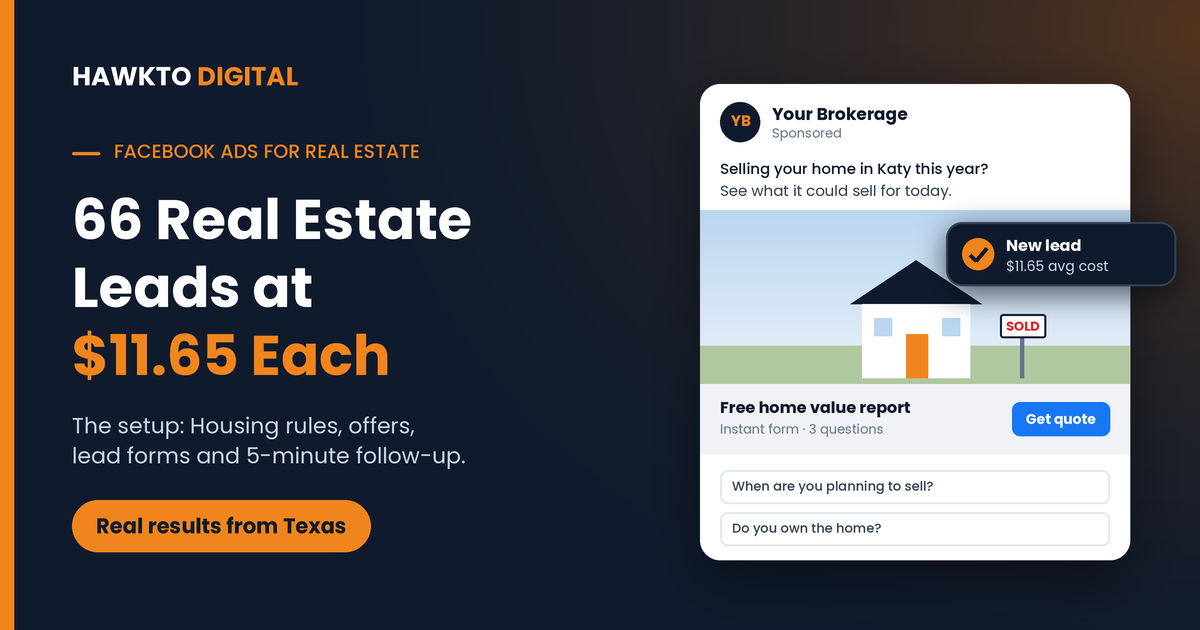
Facebook Ads for Real Estate: How I Got 66 Leads at $11.65 Each
Quick answer
Facebook ads for real estate work when you run them as lead ads under Meta’s Housing special ad category, give people one clear offer (like a free home value report or a list of new homes), ask two or three qualifying questions in the form, and contact every lead within minutes. For one Texas real estate business, four Meta lead campaigns set up this way brought in 66 leads at an average of $11.65 each.
If you have tried Facebook ads for your real estate business before, you may know how it goes: the ads get rejected, the leads never pick up the phone, or the budget goes on likes and comments that never turn into a conversation.
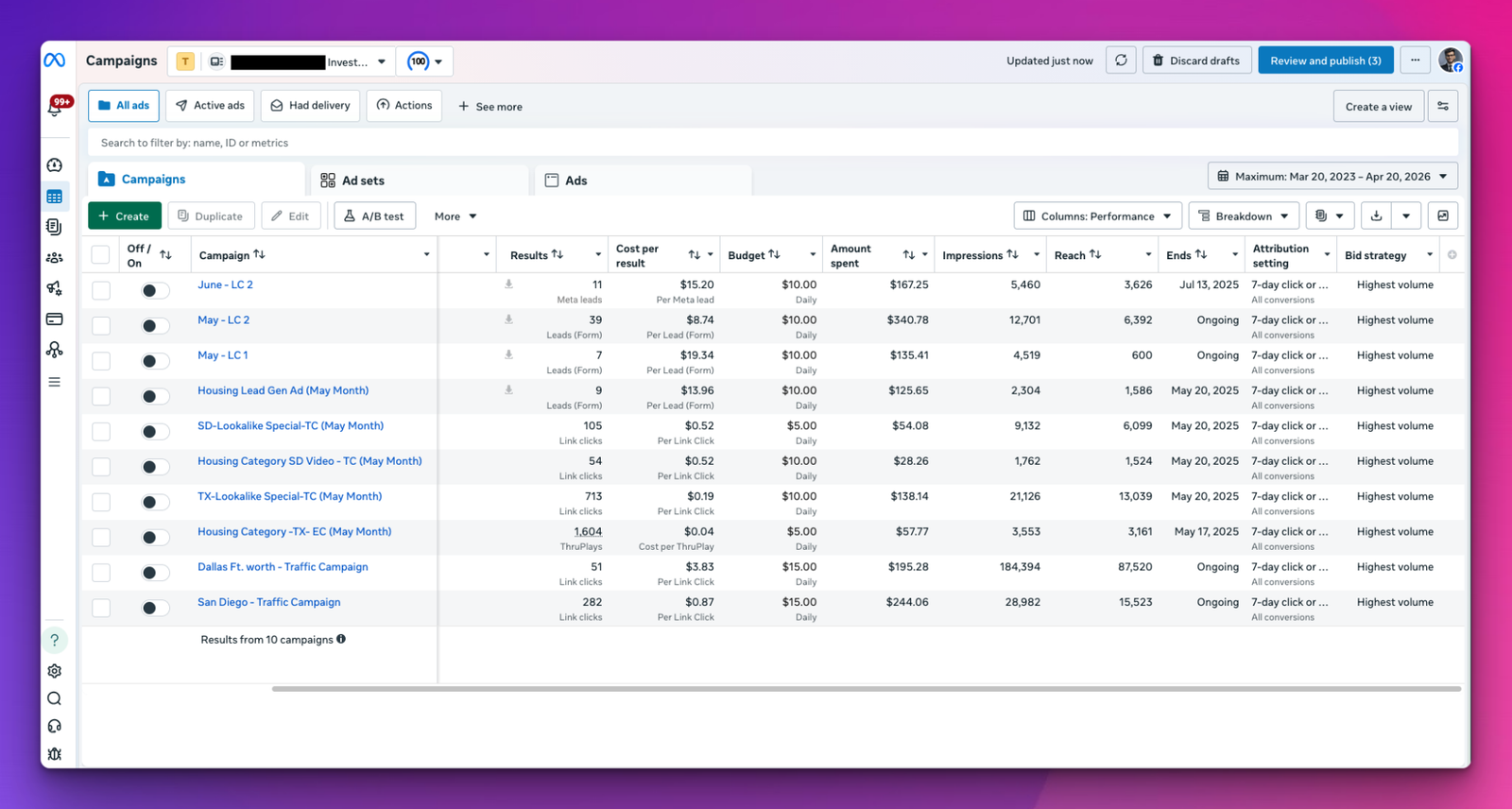
It doesn’t have to go that way. For 724 Enterprises, a real estate business in Texas, I ran four Meta lead campaigns that brought in 66 leads at an average of $11.65 each. The best month delivered 39 leads at $8.74 each.
This guide shows how I set up Facebook ads for real estate to get numbers like those: the rules you have to follow, the offers that get people to fill in a form, how to build a form that filters out time-wasters, and what to do in the first five minutes after a lead comes in.
In this guide
Do Facebook ads work for real estate?
Yes, when they are built for leads instead of likes. Facebook and Instagram are where homeowners and future buyers spend time every day, often months before they call an agent. A good lead ad reaches them early, with an offer that is worth their name and phone number.
They don’t work when they are treated like a billboard. A boosted listing photo with “Call me today!” gets likes from neighbors and other agents, not leads. Facebook leads are also usually earlier in their journey than someone searching “sell my house fast” on Google, so they need quick, persistent follow-up.
| Facebook and Instagram ads | Google Ads | |
|---|---|---|
| Who you reach | Local people scrolling, before they start searching | People searching right now, like “sell my house fast [city]” |
| How ready they are | Earlier stage, need fast follow-up and nurturing | Ready to act, but fewer of them |
| Cost per lead | Usually lower | Usually higher, because clicks cost more |
| Best for | Seller and buyer lists, home value offers, listing promotion | Sellers and buyers who need to move soon |
The Housing rules most agents get wrong
If your ad is about buying, selling or renting a home, Meta requires you to choose the Housing special ad category when you create the campaign. That includes listings, open houses, home value offers and “we buy houses” ads. The rules exist to stop housing ads from discriminating, in line with US fair housing law. If you skip the category, Meta can reject your ads or restrict your ad account.
When you choose Housing, some targeting options change or disappear (see Meta’s guide to housing audiences):
| What changes | What it means for you |
|---|---|
| Age is fixed at 18 to 65+ | You can’t target only retirees or only young buyers by age. |
| Gender is fixed to all genders | Your ads reach everyone in the area. |
| Location: no ZIP codes, no excluded areas, and at least a 15-mile radius around a pin | Target a city, a county or a pin, and name the neighborhood in the ad itself. |
| Detailed targeting is heavily limited, and you can’t exclude anyone | Your offer and creative do the targeting, not interests. |
| Lookalike audiences are not available | Build reach with broad local targeting and strong creative. |
| Custom audiences from your own data are still allowed | Upload past clients or leads after confirming the list follows Meta’s non-discrimination policy. |
Watch your wording too. Describe the home, the price and the area, never the kind of person you want to buy or rent it. Phrases about age, family status, religion, race, national origin, sex or disability can break fair housing rules, even when they are meant kindly.
These limits apply to every agent in your market, so they don’t put you behind. The 724 Enterprises campaigns ran under these exact rules.
How to set up Facebook ads for real estate, step by step
1. Pick one clear offer per campaign
Nobody gives their phone number for “Contact me for all your real estate needs”. People will give it for something specific and useful to them. Match the offer to the person you want to hear from:
| Who you want | An offer that works | What the form asks |
|---|---|---|
| Homeowners thinking of selling | “What’s your home worth? Free home value report for [city] homeowners” | Property address, when they plan to sell |
| Motivated sellers (investors) | “Get a cash offer for your [city] house, as‑is” | Address, condition, how soon they need to sell |
| Buyers | “Get a weekly list of new homes for sale in [area]” | Price range, timeline, pre-approved or not |
| First-time buyers | “Free guide: buying your first home in [city]” | Timeline, pre-approved or not |
Run a separate campaign for each offer. Sellers and buyers need different ads, different forms and different follow-up.
2. Use the Leads objective with an instant form
Create the campaign in Ads Manager with the Leads objective and choose Instant forms. The form opens inside Facebook or Instagram with the person’s name, email and phone number already filled in, so it takes seconds on a phone.
A landing page on your website usually brings fewer but warmer leads. Start with instant forms to get volume and data, then test a landing page against them once you have numbers to compare.
3. Build the form to filter out time-wasters
When Facebook leads are poor, the form is often the cause, not the ad. A few settings make a big difference:
- Choose the Higher intent form type. It adds a review screen, so people confirm their details before they send them.
- Ask two or three short multiple-choice questions, such as “When are you planning to sell?” and “Do you own the home?”. Every question lowers the number of leads but raises their quality, and two or three is a good balance.
- Write a short intro that says exactly what happens next, for example: “I’ll send your home value report within one business day.”
- Add your privacy policy link. Meta requires one for every instant form.
4. Set your location and audience inside the rules
Choose your city or county, or drop a pin with at least a 15-mile radius. Then leave the audience broad. Under the Housing rules, your offer and your ad do the targeting: a headline like “Selling your home in Katy this year?” speaks to Katy homeowners, and Meta learns from the people who respond.
If you have your own list of past clients or leads, you can upload it as a custom audience, for example for a “What is your home worth now?” campaign. Meta asks you to confirm that the list follows its non-discrimination policy before you use it.
Want this set up for your market?
In a free 30-minute call I will look at your market and any ads you are running now, and show you the offer, form and follow-up I would use.
5. Make ads that look local and real
- Use real photos and short videos: a listing walk-through, a “just sold” sign, or you explaining the local market in 30 seconds. Stock photos of smiling families look like every other ad.
- Put the place name in the first line and in the headline. Local names stop the right people from scrolling.
- Show your face. People hire agents they feel they already know.
- Run two or three versions of the ad in each campaign and keep the ones with the lowest cost per lead.
6. Set a budget you can measure
Choose a daily budget you can keep running for at least two to three weeks, because Meta needs time to learn who responds to your ads. A simple way to plan it: if your leads cost around $12 each, $20 a day is about $600 a month, or roughly 50 leads.
Judge the campaign on appointments and signed clients, not just cost per lead. A $15 lead that books a listing appointment beats five $5 leads who never answer.
7. Contact every lead within five minutes
This is where Facebook ads for real estate succeed or fail. A study published in Harvard Business Review found that companies that contacted online leads within an hour were nearly seven times more likely to have a meaningful conversation with them than companies that waited longer, and more than 60 times more likely than those that waited 24 hours or more.
- Send every new lead straight to your phone and your CRM with a CRM integration or a tool like Zapier, instead of downloading them from Ads Manager. Meta only keeps leads available to download for 90 days.
- Call first. If they don’t answer, send a text right away, then try again later that day and over the next few days.
- Start with their timeline, not your pitch: “When are you hoping to move?”
How much do Facebook real estate leads cost?
It depends on your market, your offer and the time of year, so be careful with anyone who promises a fixed price. As a reference point, the 724 Enterprises campaigns in Texas averaged $11.65 per lead across four campaigns, and the best month came in at $8.74 per lead.
The more useful question is what a lead is worth to you. Work it out with your own numbers. Here is an example:
| Example numbers | Value |
|---|---|
| Average commission or profit per closed deal | $9,000 |
| Leads you need for one closed deal | 100 |
| What each lead is worth to you | $90 |
In this example, a lead that costs $10 to $15 pays for itself many times over, as long as you follow up properly. That is why speed and persistence matter more than shaving a dollar off your cost per lead.
On top of ad spend, which you pay to Meta directly, my Meta ads management is $300 to $400 a month. All prices are on the pricing page.
Real results: 66 leads at $11.65 each
724 Enterprises is a Texas real estate business run by Tevin Sterling Johnson. I ran four Meta lead campaigns for the business under the Housing special ad category. Together they brought in 66 leads at an average cost of $11.65 each, and the best month produced 39 leads at $8.74 each.
The same approach works beyond real estate. I use it for RV parks and self storage facilities, and pair it with Google Ads when a business needs people who are ready to act today.
6 mistakes that waste real estate ad budgets
- Skipping the Housing category. Ads get rejected, and repeated violations can restrict your ad account.
- Boosting listing posts. Boosted posts collect likes from neighbors and other agents. Lead campaigns collect names and phone numbers.
- One ad for everyone. A single “buy or sell with me” ad speaks to nobody. Separate sellers, buyers and investors.
- A form with no questions. You get volume, but you can’t tell a serious seller from someone who tapped by accident.
- Slow follow-up. Calling the next morning can waste most of what you paid for the lead.
- Judging by cost per lead alone. The real numbers are appointments, signed listings and closed deals.
Real estate Facebook ads FAQ
Frequently asked questions
Answers to what agents and investors ask most about getting leads from Facebook and Instagram.
QDo Facebook ads work for real estate agents?
Yes, when they are run as lead ads with one specific offer, set up under Meta’s Housing special ad category, and followed up within minutes. For one Texas real estate business, four Meta lead campaigns brought in 66 leads at an average of $11.65 each.
QHow much should a real estate agent spend on Facebook ads?
Start with a budget you can keep running for at least a month, such as $10 to $20 a day per campaign, then move more budget into the campaigns that book the most appointments. Ad spend is paid to Meta directly. Management fees for my Meta ads service are $300 to $400 a month.
QDo I have to use the Housing special ad category for real estate ads?
Yes. In the US, ads about buying, selling or renting homes, including listings, home valuation offers and “we buy houses” offers, must be declared as Housing. If you skip it, Meta can reject your ads and restrict your ad account.
QCan I target Facebook real estate ads by ZIP code?
No. Under the Housing category you can’t target or exclude ZIP codes. You can target a city, a county or a pin with at least a 15-mile radius, and then use the neighborhood name in your ad so the right people respond.
QWhy are my Facebook real estate leads bad quality?
The usual causes are a vague offer, a quick form with no questions, and slow follow-up. Use the Higher intent form type, ask two or three qualifying questions, make one specific offer per campaign, and call every lead within five minutes.
QAre Facebook ads or Google Ads better for real estate?
They do different jobs. Google Ads reach people who are searching right now, so the leads are warmer but each one usually costs more. Facebook ads reach homeowners and buyers earlier, usually at a lower cost per lead, and need faster, more persistent follow-up. If your budget allows both, use Facebook for volume and Google for urgent sellers and buyers.
Get real estate leads from Facebook, the right way
Book a free 30-minute call. I will look at your market, your offer and any ads you are running now, and show you the setup I would use within Meta’s Housing rules.

About the author
Mehedi Hasan is the founder of Hawkto Digital and is Google, HubSpot and Semrush certified. He runs Meta and Google ads for US real estate businesses, RV parks and self-storage facilities, and builds the websites and Google Business Profiles behind them. Read his story or see pricing.