RV Park Website Design: 15 Must-Haves That Turn Visitors Into Bookings
Quick answer
A good RV park website shows what you are and where you are on the first screen, has a Book now button and tap-to-call number on every page, lists rates, site specs, amenities and rules, has separate pages for monthly sites, big-rig directions and things to do nearby, uses real photos and reviews, lets guests book online on a phone, loads fast on a weak signal and is built for SEO from day one.
Your website is where an RVer decides between your park and the next one. They have already found you on Google, a map or an RV app. Now they want to know if their rig fits, what it costs, whether the place is well kept, and how to book. If your site can’t answer those in a minute on a phone, they go back and pick another park.
I build fast WordPress websites for local businesses and market Country Home Estates, a long-term RV park in Oklahoma, where I have handled the website alongside Google Ads, local SEO and resident newsletters since 2023. This guide covers the 15 things every RV park website needs, the pages to build, a 2-minute self-check, and what a site should cost.
In this guide
For RV park owners
Want this done for your park?
I have marketed a long-term RV park in Oklahoma since 2023: Google Maps, Google Ads, Facebook ads, the website and resident newsletters. See how I can help with RV park marketing.
The three jobs of an RV park website
Every page on your site should do at least one of these jobs:
- Get found. Rank on Google for the searches RVers use and support your Google Business Profile.
- Answer questions. Rates, specs, rules and directions, so guests can decide without calling.
- Take the booking. Make booking or calling easy from every page, on a phone.
Many park websites do the second job partly and miss the other two. The 15 must-haves below cover all three.
15 must-haves for an RV park website
Part 1 · The first screen
1. A headline that says what you are and where
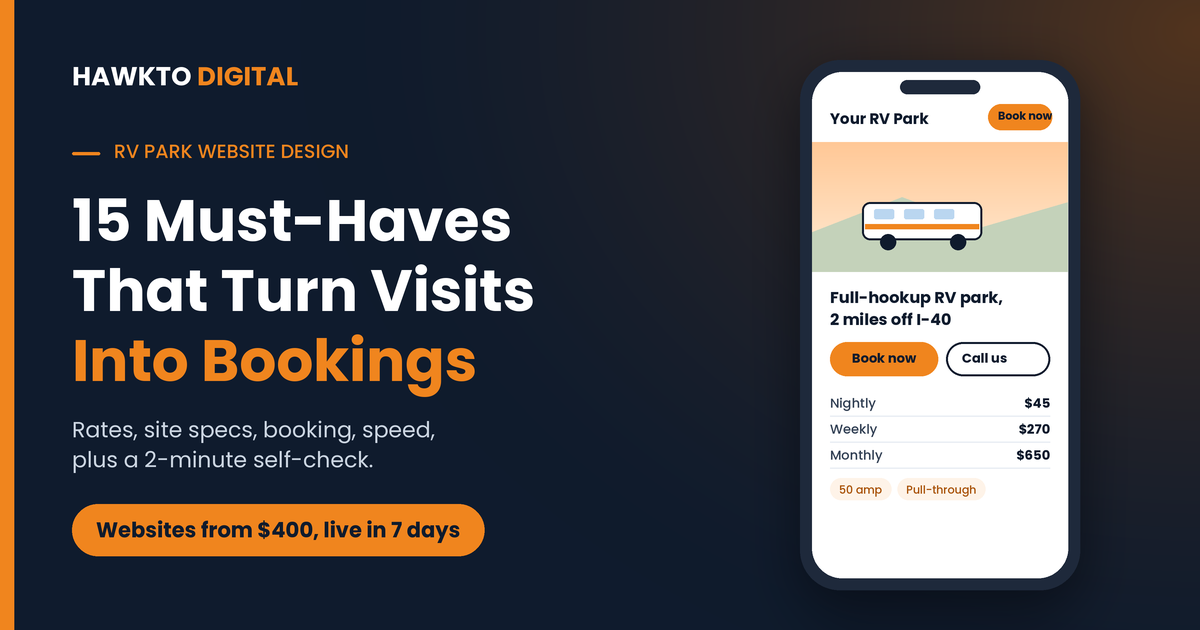
Visitors decide in seconds whether they are in the right place. Your first screen should answer three questions without scrolling: what kind of park this is, where it is, and how to book. “Full-Hookup RV Park 2 Miles Off I-40 in [Town], [State]” does that. “Welcome to Paradise” does not.
2. A “Book now” button and a tap-to-call number on every page
Put a bright “Book now” button and your phone number at the top of every page, and keep them visible as people scroll on a phone. Many RV bookings still happen by phone, especially from travelers on the road, so the number must start a call with one tap. If you offer monthly sites, add a second button like “Monthly sites” so long-term guests don’t have to hunt.
3. A real photo or short video of your park
A drone shot of your actual sites, or a rig parked on a clean pull-through, builds more trust than any stock image of a mountain lake. RVers want to know one thing first: will my rig fit, and is this place well kept? Show them.
Not sure how your site stacks up?
In a free 30-minute call I will open your website on a phone, check it against this list and the top parks near you, and show you the changes that would bring in the most bookings.
Part 2 · Answer every question before they call
4. A clear rates page
Nightly, weekly and monthly rates on one page, with what is included, extra person and pet fees, taxes, deposits and your cancellation policy. Hidden prices send people back to Google to find a park that shows them. If rates change by season, show the seasons.
5. Site specs and a site map
List what every RVer filters on: pull-through or back-in, 30 or 50 amp, full hookups or water and electric only, maximum rig length, pad surface and slide-out room. Add a site map image, or an interactive one if your reservation system offers it, so guests can see where each site sits.
6. Amenities and park rules
Wi-Fi (and how fast it really is), laundry, bathhouse, pool, dog park, propane, dump station, mail and package delivery. Then the rules: quiet hours, pets, rig age or condition rules, check-in and check-out times. Clear rules filter out guests who aren’t a fit before they book.
7. A dedicated monthly sites page
Long-term guests search with different words and need different answers: monthly rate, utilities, deposit, how long they can stay. Give them their own page. I explain exactly what a monthly sites page should include in my guide to long-term RV tenants.
8. Directions written for big rigs
A map pin isn’t enough for a 40-foot rig. Give directions from each nearby highway, with exit numbers, the safest route in, low clearances or tight turns to avoid, and where to park while checking in. This page also helps you rank for “RV park off I-[number]” searches.
9. Things to do nearby
A page or short guides for the lake, state park, events, restaurants and employers near you. They help guests plan longer stays and can rank for “RV parks near [attraction]” searches. My RV park SEO guide explains how to write local guides that rank without creating thin, copy-paste pages.
10. A gallery of real photos
Sites with rigs on them, the hookups, the bathhouse, laundry, entrance, office and common areas, in daylight. Compress every photo before uploading. Big, uncompressed galleries are a common reason park websites load slowly on a phone.
11. Real reviews
Show a few genuine reviews from Google or the RV review sites near your booking buttons, and link to your Google profile so visitors can read more. Reviews close the deal for people comparing parks. My guide to getting reviews on Google and the RV review sites covers how to keep them coming.
12. An FAQ section
Answer the questions your office answers every day: Can I arrive after hours? Do you take big rigs? Are pets allowed? Is there a minimum stay? Every answered question is one less phone call and one less reason to book somewhere else.
Part 3 · Booking, speed and search
13. Online booking that works on a phone
Many RVers plan their next stop at night or from the passenger seat. Connect your reservation system, such as Campspot, Firefly or Newbook, so guests can book any time, and test the whole booking flow yourself on a phone. If booking happens on a separate domain, set up tracking across both, so you can see which pages and ads lead to reservations. My Google Ads guide explains how to track bookings as conversions.
14. Fast on a weak signal
Travelers often search from the road with one or two bars. Google’s Core Web Vitals set clear targets: the main content should load within 2.5 seconds, the page should react to taps within 200 milliseconds and it shouldn’t jump around while loading. Compressed images, lightweight pages and good hosting get you there.
15. SEO built in from day one
Each page needs its own title and heading that matches what people search, like “Monthly RV Sites in [City], [State]”. Add structured data with the RVPark schema type so Google understands your park, and link your website to your Google Business Profile. My RV park SEO guide covers the full ranking plan, and the website is step 5 of it.
The pages to build
Here is a simple sitemap for a typical RV park. Each page has one job and can rank for its own searches:
| Page | What it does | Search it can rank for |
|---|---|---|
| Home | Who you are, where, and how to book | RV park [city], RV park near me |
| Rates | Nightly, weekly, monthly prices and policies | RV park rates [city] |
| Sites and hookups | Specs and site map | Pull-through / 50 amp / big rig RV park [city] |
| Monthly sites | Everything a long-term guest needs | Monthly RV lots [city], long-term RV parks [city] |
| Amenities and rules | What’s included and expected | Pet friendly RV park [city] |
| Directions | Highway routes for big rigs | RV park off I-[number] [town] |
| Things to do | Local guides | RV parks near [attraction] |
| Gallery | Real photos | (Supports every page) |
| FAQ | Common questions answered | Question searches |
| Book now | Reservation system | (Conversion page) |
Each of these pages also gives your ads somewhere better to send clicks than the homepage, which is why they are the backbone of my Google Ads setup for RV parks.
2-minute website self-check
Open your website on your phone, not your computer, and answer these ten questions:
2-minute self-check
How does your park website score?
- Does your first screen say what you are, where you are and how to book?
- Is there a “Book now” button and a tap-to-call number on every page, on a phone?
- Are nightly, weekly and monthly rates on your website?
- Can a guest see site specs (amp, length, pull-through) without calling?
- Do you have a dedicated page for monthly sites?
- Are directions written for big rigs, with highway exits?
- Are your photos real, recent and of your actual sites?
- Can guests book online, any time, on a phone?
- Does your homepage load in under about 3 seconds on mobile data?
- Can you see which pages and ads lead to bookings?
8 to 10 yes: your site is in good shape, so focus on traffic. 5 to 7: you are losing bookings you have already paid to attract. 4 or fewer: your website is likely the biggest leak in your marketing.
DIY, template or custom?
There are three common ways to get an RV park website. Each one fits a different park:
| DIY website builder | Reservation system template | Custom-built website | |
|---|---|---|---|
| Cost | Low monthly fee | Often included or low cost | One-time build, from $400 with me |
| Your time | High: you build and maintain it | Low | Low: built for you |
| SEO and speed | Depends on your skill | Limited control over pages | Full control, built in |
| Pages for monthly sites, directions, guides | Possible, if you write them | Often limited | Planned from the start |
| Best for | Very small parks with time | Parks that only need booking | Parks that want to rank and convert |
What an RV park website costs
According to Pitchsite’s 2026 web design pricing guide, a basic small business website costs about $1,500 to $4,000 with a junior freelancer, $4,000 to $12,000 with an experienced freelancer and $6,000 to $20,000 with a boutique agency.
My website development starts at $400, with larger builds up to $1,200, all listed on my pricing page. Every site includes:
- A fast, mobile-first WordPress site, live in 7 days, or 10 to 14 days for larger builds.
- Pages planned around how RVers search, with SEO basics built in.
- Booking and tap-to-call buttons on every page, linked to your reservation system.
- 2 rounds of revisions.
- Full ownership: the domain and hosting are in your name from day one.
A website pays off fastest when people can find it. Pair it with RV park SEO for long-term traffic or Google Ads for bookings this month.
Website mistakes that cost bookings
- “Call for rates.” Many people won’t call. They will book the park that shows prices.
- Stock photos. They make guests wonder what the real park looks like.
- A booking button hidden in the menu. Make it visible on every page, on a phone.
- One page for everything. You can’t rank for monthly, directions and attractions searches with one page.
- Old seasons and prices. Out-of-date information costs trust and bookings.
- Never testing on a phone. Most problems only show up on a small screen with a slow connection.
Keep reading
Related guides for park owners
Rank on Google
RV Park SEO: How to Get Your Park to the Top of Google
The 10-step plan to win the map and the top results.
Paid search
Google Ads for RV Parks: The Complete Setup Guide
Campaigns, keywords, targeting and tracking for park owners.
Monthly sites
How to Get Long-Term RV Park Tenants
11 ways to fill monthly sites and keep residents longer.
The full playbook
RV Park Marketing: 12 Proven Ways to Get More Bookings
Google, directories, ads, reviews and email for every guest.
RV park website FAQ
Frequently asked questions
Answers to what RV park owners ask most before building or redesigning a website.
QWhat should an RV park website include?
A clear headline with your park type and location, a Book now button and tap-to-call number on every page, rates, site specs and a site map, amenities and rules, a monthly sites page, big-rig directions, things to do nearby, real photos, reviews, an FAQ, mobile-friendly online booking and fast loading.
QHow much does an RV park website cost?
Industry prices for a small business website range from about $1,500 to $4,000 with junior freelancers and $6,000 to $20,000 with boutique agencies, according to Pitchsite’s 2026 pricing guide. My websites start at $400, with larger builds up to $1,200, and you own the site, domain and hosting.
QHow long does it take to build an RV park website?
With me, a standard website goes live 7 days after you say yes, and larger builds take 10 to 14 days. Having your rates, rules, site details and photos ready speeds things up.
QCan my website connect to my reservation system?
Yes. Most RV park reservation systems, such as Campspot, Firefly and Newbook, provide a booking link or widget that a website can use. The key is making the Book now button easy to find and tracking bookings so you know which pages and ads bring them.
QDo I need a website if I’m listed on RV booking sites?
Yes. Directories help travelers find you, but your own website is where you control your photos, rates and booking experience without paying commission. It also helps your Google Business Profile rank, because Google uses your website to understand your park.
QWho owns the website when you build it?
You do. The domain and hosting are bought in your name, and you keep full ownership of the website from day one, whether or not we keep working together.
Get a website that books more sites
Book a free 30-minute call. I will review your current website on a phone, show you what the top parks near you do better, and give you a clear plan, whether you hire me or not.

About the author
Mehedi Hasan is the founder of Hawkto Digital and is Google, HubSpot and Semrush certified. He builds fast, mobile-first websites for local businesses and has marketed a long-term RV park in Oklahoma since 2023, covering its website, Google Ads, local SEO and resident newsletters. Read his story or see pricing.