How to Get More RV Park Reviews: The Complete Playbook (With Templates)
Quick answer
To get more RV park reviews, ask every guest for an honest review with a direct link at the right moment (the morning after checkout for overnight guests, after two to four weeks for monthly residents), use QR codes in the office and laundry, include review requests in your resident newsletter, reply to every review, and never offer incentives or only ask happy guests. Focus on Google first for your map ranking, then RV LIFE, Campendium and Good Sam.
Reviews decide which RV park a traveler picks, and they help decide which parks Google shows in the map in the first place. Google lists prominence, which includes your review count and rating, as one of the three main factors in local ranking. RVers then compare star ratings and read the most recent reviews before they book a single night, let alone six months.
Many parks get reviews by luck. The parks that win get RV park reviews on purpose, with a simple routine that runs every week. I market Country Home Estates, a long-term RV park in Oklahoma, and built its resident newsletter partly to bring in Google reviews. This guide is the full playbook: where reviews matter, what’s allowed, when and how to ask, copy-paste templates, and how to reply.
In this guide
For RV park owners
Want this done for your park?
I have marketed a long-term RV park in Oklahoma since 2023: Google Maps, Google Ads, Facebook ads, the website and resident newsletters. See how I can help with RV park marketing.
Why RV park reviews matter so much
- They move you up the map. Review count, rating and freshness all feed into how prominent Google thinks your park is. My RV park SEO guide explains where reviews fit in the full ranking plan.
- They answer the questions you can’t. “Easy to get a 40-footer in”, “Wi-Fi actually works”, “owners fixed our power in an hour.” Guests trust other RVers more than your website.
- They win long-term residents. Someone choosing where to live for six months reads reviews closely, especially recent ones from other residents.
- They make every other channel work harder. Ads, listings and your website all convert better when the rating next to your name is strong.
What’s allowed and what isn’t
Both Google and the US Federal Trade Commission have clear rules. Google’s policy prohibits incentives for reviews, discouraging negative reviews, selectively asking for positive ones and pressuring guests to review while on the premises. The FTC’s rule on consumer reviews, in effect since October 2024, bans fake reviews, buying reviews tied to positive sentiment, undisclosed reviews from owners and staff, and suppressing negative reviews with threats.
| Allowed | Not allowed |
|---|---|
| Asking every guest for an honest review | Offering discounts, free nights or gifts for reviews |
| QR codes and review links in the office, packets and emails | Pressuring guests to post a review while they are at the park |
| Inviting unhappy guests to contact you directly | Only sending the review link to guests who seem happy |
| Replying to every review, publicly and politely | Asking staff to hit a review quota or to be named in reviews |
| Flagging reviews that break the platform’s rules | Writing reviews yourself, or having staff or family write them without disclosure |
| Showing real reviews on your website | Buying reviews or threatening reviewers |
Breaking these rules can get reviews removed or your profile restricted, and FTC violations can bring penalties. The good news: the honest approach also works best.
The 9-step RV park review playbook
Part 1 · Set up the system
1. Get your review links and QR codes ready
Every extra tap loses reviews. Create a direct link that opens the review box for your Google Business Profile (Google shows how here), and save the direct review links for your listings on RV LIFE Campground Reviews, Campendium and Good Sam. Turn the Google link into a QR code for your office, laundry room, welcome packet and checkout card.
A QR code on the wall is a friendly invitation. What you must not do is pressure guests to leave a review while they are at the park, for example asking them to post one at the counter before they leave.
2. Decide where to send each guest
Google reviews do the most for your map ranking, so make Google your main ask. RV review sites matter too, because many travelers check them before booking. A simple split works well:
| Guest type | Main ask | Second ask |
|---|---|---|
| Overnight and short-stay travelers | RV LIFE Campground Reviews or Campendium (the one where you have fewer reviews) | |
| Monthly and long-term residents | Facebook recommendation | |
| Rally and group organizers | Good Sam or the club’s own site |
Choosing which site to ask for is fine. Choosing which guests to ask, based on whether they seem happy, is not. Ask everyone.
Part 2 · Ask at the right moment, in the right words
3. Time the ask for each type of guest
- Overnight guests: send a short text the morning after checkout, when the stay is fresh and they have a minute at their next stop.
- Weekly guests: on the last day, or the day after they leave.
- Monthly residents: after two to four weeks, once they have settled in, and again at renewal.
- After a problem is fixed fast: a guest whose sewer connection or power issue was fixed in an hour often has something worth saying.
Ask once, with one gentle reminder a few days later at most. More than that becomes pressure.
4. Use simple, honest request templates
Text message (overnight guests)
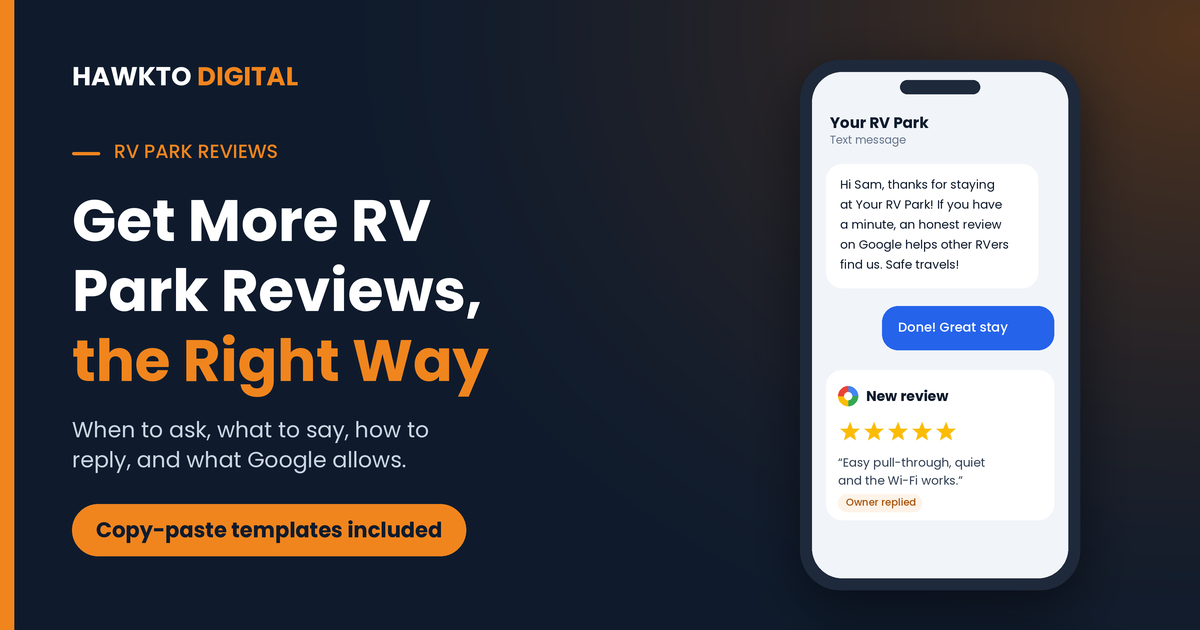
Hi [First name], thanks for staying at [Park name]! If you have a minute, an honest review on Google helps other RVers find us: [link]. Safe travels! – [Your name]
Email (monthly residents)
Subject: How’s life at [Park name]?
Hi [First name], you’ve been with us a few weeks now and we hope you’re settled in. Would you share your honest experience on Google? It takes about a minute and helps other travelers decide: [link]. If anything isn’t right, reply to this email and we’ll fix it. Thank you, [Your name]
Checkout card or welcome packet
Enjoyed your stay? Scan to share an honest review on Google. It helps other RVers find a good place to park. [QR code]
Notice what the templates don’t say: no “5-star review”, no discount, no free night. Ask for an honest review, and offer a direct way to fix problems. The offer to fix things is for the guest, not a filter for who gets the review link. Everyone gets the link.
5. Use your resident newsletter
For parks with long-term residents, a monthly newsletter is one of the best review channels you have. For Country Home Estates, a long-term RV park I market in Oklahoma, I created a themed newsletter for existing residents built specifically to bring in Google reviews, alongside park news and events.
My guide to long-term RV tenants covers resident newsletters in more detail, and my newsletter service is a one-time $300 setup and $50 per newsletter.
Want a review routine that runs without you?
In a free 30-minute call I will compare your reviews with the top parks near you and show you the simplest routine to close the gap, including the request texts and reply templates set up for your park.
Part 3 · Reply to every review
6. Reply to every review, good or bad
Future guests read your replies as closely as the reviews. A thoughtful reply shows you care, and Google notes that responding to reviews shows you value your customers (see Google’s tips). Keep replies short, personal and specific.
Reply to a 5-star review
Thank you, [Name]! We’re glad the pull-through site and the quiet evenings made for an easy stop. Come back and see us on your next trip through [area].
Reply to a mixed review
Thanks for the honest feedback, [Name]. Glad you enjoyed the sites and the staff. You’re right about the Wi-Fi near the back loop, and we’re adding a booster this month. Hope to host you again.
Reply to a negative review
[Name], I’m sorry your stay didn’t meet expectations. That’s not the experience we want for anyone. I’d like to make this right. Please call me directly at [phone] so we can talk. – [Your name], Manager
Never argue in public, never share private details about the guest, and never offer something in exchange for changing or removing the review. My Google Maps guide has more on replying to reviews the right way.
7. Handle fake and unfair reviews properly
If a review breaks Google’s policies, for example it is from someone who never stayed, contains hate speech or is about a different business, flag it from your Business Profile and request removal. A review that is simply negative but genuine will not be removed. Reply calmly, fix the problem if it is real, and let the steady flow of new reviews outweigh it.
Part 4 · Turn reviews into bookings
8. Show your reviews where people decide
Add a few real reviews near the booking buttons on your website, quote them in your Facebook and Instagram posts, and use your rating in ads where the platform allows it. Reviews are the proof that closes the booking. My RV park website guide shows where reviews belong on your site.
9. Track your review pace against nearby parks
Once a month, note your total reviews and average rating on Google and the main RV sites, then do the same for the three parks that rank above you in the map. What matters most is the pace: if the top park gets eight new reviews a month and you get two, that gap shows up in the rankings over time.
| Track monthly | Your park | Top competitor |
|---|---|---|
| New Google reviews this month | ||
| Average Google rating | ||
| New reviews on RV review sites | ||
| Reviews replied to |
Keep reading
Related guides for park owners
Rank on Google
RV Park SEO: How to Get Your Park to the Top of Google
The 10-step plan to win the map and the top results.
Website
RV Park Website Design: 15 Must-Haves
Turn the visitors your reviews bring in into bookings.
Monthly sites
How to Get Long-Term RV Park Tenants
11 ways to fill monthly sites and keep residents longer.
The full playbook
RV Park Marketing: 12 Proven Ways to Get More Bookings
Google, directories, ads, reviews and email for every guest.
RV park reviews FAQ
Frequently asked questions
Answers to what RV park owners and managers ask most about reviews.
QHow do I get more reviews for my RV park?
Ask every guest with a direct review link at the right moment: the morning after checkout for overnight guests and after two to four weeks for monthly residents. Use QR codes in the office and laundry, include a review request in your resident newsletter, and reply to every review.
QCan I offer a discount or free night for a review?
No. Google’s policies prohibit offering incentives such as payment, discounts or free services in exchange for reviews, and the FTC’s rule on consumer reviews bans incentives tied to positive reviews. Ask for honest reviews without anything in return.
QIs it okay to only ask happy guests for reviews?
No. Google’s policy prohibits selectively asking for positive reviews, often called review gating. Ask every guest. You can still invite unhappy guests to contact you directly so you can fix the problem.
QWhich review sites matter most for RV parks?
Google matters most for your map ranking. RV LIFE Campground Reviews, Campendium and Good Sam matter because many RVers check them before booking. Facebook recommendations help with long-term residents and locals.
QHow do I remove a bad review of my RV park?
You can only get a review removed if it breaks the platform’s policies, for example it is fake, off-topic or abusive. Flag it from your Business Profile. For genuine negative reviews, reply calmly, offer to make it right, and keep new reviews coming.
QCan you manage reviews for my RV park?
Yes. A review routine and replies to every review are part of my Google Business Profile optimization and local SEO plans, which start at $300 a month. You keep full ownership of your profile.
Get more reviews, the right way
Book a free 30-minute call. I will compare your reviews with the top parks near you and set out a simple routine your team can run every week. Review management is part of my Google Business Profile optimization service.

About the author
Mehedi Hasan is the founder of Hawkto Digital and is Google, HubSpot and Semrush certified. He has marketed a long-term RV park in Oklahoma since 2023 and manages Google Business Profiles, reviews, local SEO and ads for RV parks and self storage facilities across the US. Read his story or see pricing.