
RV Park SEO Keywords: 100+ Keywords Guests Actually Search
Quick answer
RV park SEO keywords combine a place with what the guest needs: “rv park [city]”, “rv parks near [lake]”, “monthly rv sites [city]”, “big rig friendly rv park [city]” or “pet friendly rv park [city]”. Below are 118 keywords in 13 groups, from near-me and highway searches to monthly, snowbird, rig, amenity, price and question searches, with the page each one belongs on. Swap in your town, highways and attractions, check volumes with free Google tools, and use one main topic per page without stuffing.
RVers don’t search the way hotel guests do. They search by place, by route, by rig size and by how long they want to stay. Someone looking for a pull-through with 50-amp service off the interstate tonight types something very different from a traveling nurse who needs a monthly site near the hospital.
Getting those searches right matters more than ever. In the RMS 2026 report, 64% of campers said they use online search to find campsites, and online search has now overtaken word of mouth (RMS). Google ranks local results on three things: relevance, distance and prominence (Google). You can’t move your park closer to the searcher, and prominence takes time, but the right keywords on the right pages make your park relevant to the searches that matter.
This list is built from how RV guests search and from my keyword research for RV parks. I haven’t listed national search volumes, because RV park searches are local: what matters is how many people search for your town, your lake and your highway. I’ll show you how to check that for free below.
In this guide
For RV park owners
Want this done for your park?
I have marketed a long-term RV park in Oklahoma since 2023: Google Maps, Google Ads, Facebook ads, the website and resident newsletters. See how I can help with RV park marketing.
The 5 parts of every RV park search
Almost every search a guest makes combines a place with one or more of these parts:
| Part | Examples | What it tells you |
|---|---|---|
| Place | [city], [lake], [national park], I-[number], exit [number] | Where they want to stay |
| Stay type | overnight, weekly, monthly, seasonal, long term | How long they want to stay |
| Rig and hookups | big rig, pull through, 50 amp, full hookup | Whether their RV will fit |
| Amenities | pet friendly, pool, wifi, lakefront, quiet | What the stay should feel like |
| Timing and price | tonight, this weekend, cheap, rates, winter | When they’re going and what they’ll pay |
The more parts a search has, the fewer people type it, but the more likely they are to book. “Monthly 50 amp rv site [city]” gets far fewer searches than “rv park [city]”, but the guest who types it knows exactly what they want. A good keyword plan covers both.
118 RV park keywords in 13 groups
Replace the words in brackets with your own: your town and state, the highways and exits near you, your lakes, parks and attractions, and the employers nearby. Use only the keywords that are true for your park.
1. “Near me” and town searches
These are the searches with the strongest booking intent. Many come from travelers on the road, looking for a site tonight or this weekend.
Best place to use them: your home page and Google Business Profile. You don’t need to write “near me” on your pages; Google uses the searcher’s location for that.
2. Highway and route searches
Travelers plan stops along their route, so they search by highway, exit or the stretch between two towns.
Best place to use them: your home page, a directions page with big-rig access notes, and your Google profile description.
3. Attraction and destination searches
Many guests choose the destination first and the park second. Every major attraction near you is a set of keywords.
Best place to use them: one helpful page or guide for each major attraction, with real distances, tips and photos.
4. Monthly and long-term searches
Monthly guests search differently from overnight guests, and they compare you with apartments as well as other parks.
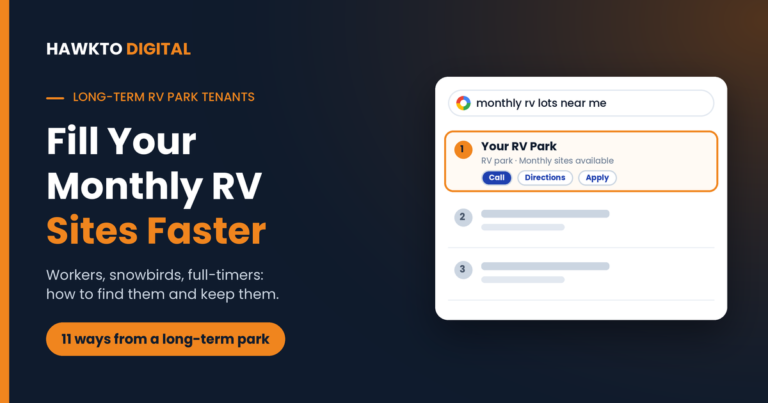
Best place to use them: a monthly sites page with rates, what’s included, utilities and rules. See my guide to long-term RV park tenants.
5. Traveling worker searches
If hospitals, plants, pipelines or big construction projects are nearby, workers are searching for a place to stay for weeks or months.
Best place to use them: a work-stay page that names the employers and job sites near you, with drive times.
6. Snowbird and seasonal searches
Seasonal guests plan months ahead and compare parks across a whole region on community, amenities and the price for the season.
Best place to use them: a seasonal stays page with seasonal rates, the dates you take seasonal guests and what the community is like.
Want the keyword list for your own park?
In a free 30-minute call, I’ll look up the searches around your town and attractions, check which ones your park already shows up for, and tell you which pages to build first.
7. Rig size and hookup searches
RVers with big rigs or specific needs filter parks before anything else. If your sites fit, say so clearly.
Best place to use them: a sites page that lists each site type with lengths, widths, amp service and hookups.
8. Amenity searches
These searches tell you what guests value. Use only the ones your park really offers.
Best place to use them: your amenities page, your Google profile attributes and the photos that prove each amenity.
9. Price and value searches
Price searches come from guests comparing options. A clear rates page answers them and stops them from bouncing to a competitor.
Best place to use them: a rates page with nightly, weekly and monthly prices, fees and the discounts you honor.
10. Booking and availability searches
These guests are ready to book now. Speed and clear availability win them.
Best place to use them: your booking page, accurate hours on your Google profile and a clear late-arrival policy.
11. Family, group and event searches
One group booking can fill a row of sites, and families often book longer stays.
Best place to use them: a groups and rallies page with group rates, the number of sites you can block and any meeting space.
12. Questions RVers ask
Question searches rarely book directly, but answering them earns trust, links and mentions in AI answers.
Best place to use them: blog posts and FAQ sections. Answer the question in the first sentence, then link to the page that books.
13. Searches for your park by name
Once guests know you, they search your name. Make sure these searches find accurate, consistent information.
Best place to use them: your home page, rates page, Google profile and every directory listing, all with exactly the same name, address and phone.
Where to use each keyword: a page map
Each group of keywords needs a page whose whole topic matches it. Here’s how I map them for an RV park, with an example title tag for each page:
| Page | Keyword groups | Example title tag |
|---|---|---|
| Home page | Near me and town, highway and route, your park’s name | RV Park in [City], [State] Near I-[number] | [Park Name] |
| Sites page | Rig size and hookups | Big Rig Pull-Through RV Sites with 50 Amp | [Park Name] |
| Rates page | Price and value | RV Park Rates in [City]: Nightly, Weekly and Monthly | [Park Name] |
| Monthly sites page | Monthly and long-term | Monthly RV Sites in [City], [State] | [Park Name] |
| Work-stay page | Traveling workers | RV Sites for Traveling Nurses and Workers in [City] |
| Seasonal page | Snowbirds and seasonal | Snowbird and Seasonal RV Sites in [City], [State] |
| Amenities page | Amenities | Pet-Friendly RV Park with Pool and Wi-Fi in [City] |
| Attraction guides | Attractions and questions | RV Camping Near [Attraction]: Where to Stay and What to Do |
| Groups page | Family, group and event | RV Rally and Group Sites in [City], [State] |
| Google Business Profile | Near me and town, amenities, booking | Your real name only. Keywords go in the description, services, attributes and posts. |
Small parks don’t need every page on day one. Start with the home page, sites, rates and your Google profile, then add monthly, work-stay, seasonal and attraction pages in the order your guest mix calls for. My RV park website design guide covers what each page needs.
How to find the keywords that matter for your park
The list above gives you the patterns. These six free steps show you which ones people actually search in your area:
1. Type your keywords into Google
Start typing “rv park [your town]” or “rv parks near [your lake]” into Google on your phone and note every suggestion. Then check the “People also ask” questions and the related searches at the bottom of the page. These are real searches, and they cost nothing to find.
2. Check Google Search Console
If your park already has a website, Google Search Console shows the exact searches your site already appears for, with clicks, impressions and average position. Look for searches with lots of impressions but a low position. Those are keywords Google already connects with your park, and a better page can move them up.
3. Read your Google profile’s search terms
Your Business Profile’s performance report includes “Searches”, the search terms people used to find your park. Google updates it at the start of each month (Google Business Profile Help). It often shows wording you’d never think of.
4. Check search volumes in Keyword Planner
Google Keyword Planner is free with a Google Ads account. Enter your main keywords with your town and nearby attractions to see roughly how many people search each month, and get ideas for related searches. Small towns often show very low numbers. That’s normal: a keyword with 20 searches a month can still bring real bookings when every searcher is looking for a site.
5. Check seasonality in Google Trends
Google Trends shows when interest rises and falls during the year. Use it to publish and update seasonal pages before demand peaks, not during it.
6. Use your guests’ own words
Read your reviews and notes from phone calls and booking questions. If guests keep asking about “big rigs” or “monthly sites with Wi-Fi”, that’s how your market searches, whatever a keyword tool says.
I walk through my full keyword research process for local businesses in this video, including how I choose which keywords get their own page:
How to use keywords without hurting your rankings
Put each page’s main keyword where guests and Google look first, and write the rest for people:
- Title tag and H1: the main keyword and your town, written as a clear headline.
- First paragraph: say what the page offers and where, in plain words.
- Headings: use close variations naturally, such as “Monthly rates” and “What’s included in a long-term stay”.
- Image alt text: describe the photo, such as “pull-through RV site with 50-amp pedestal”.
- Google Business Profile: use keywords in your description, services, attributes and posts.
- FAQs: answer the questions guests really ask, in their words.
Three things can hurt you instead:
- Keyword stuffing. Google’s spam policies name “blocks of text that list cities and regions that a web page is trying to rank for” and repeating phrases “so often that it sounds unnatural” as keyword stuffing (Google Search Central).
- Keywords in your Google profile name. Your profile name should match your real-world name. Google says adding unnecessary information to it “isn’t permitted, and could result in the suspension of your Business Profile” (Google).
- Near-identical town pages. Pages “targeted at specific regions or cities that funnel users to one page” count as doorway abuse (Google Search Central). Build an attraction or town page only when you have useful, specific information for that place.
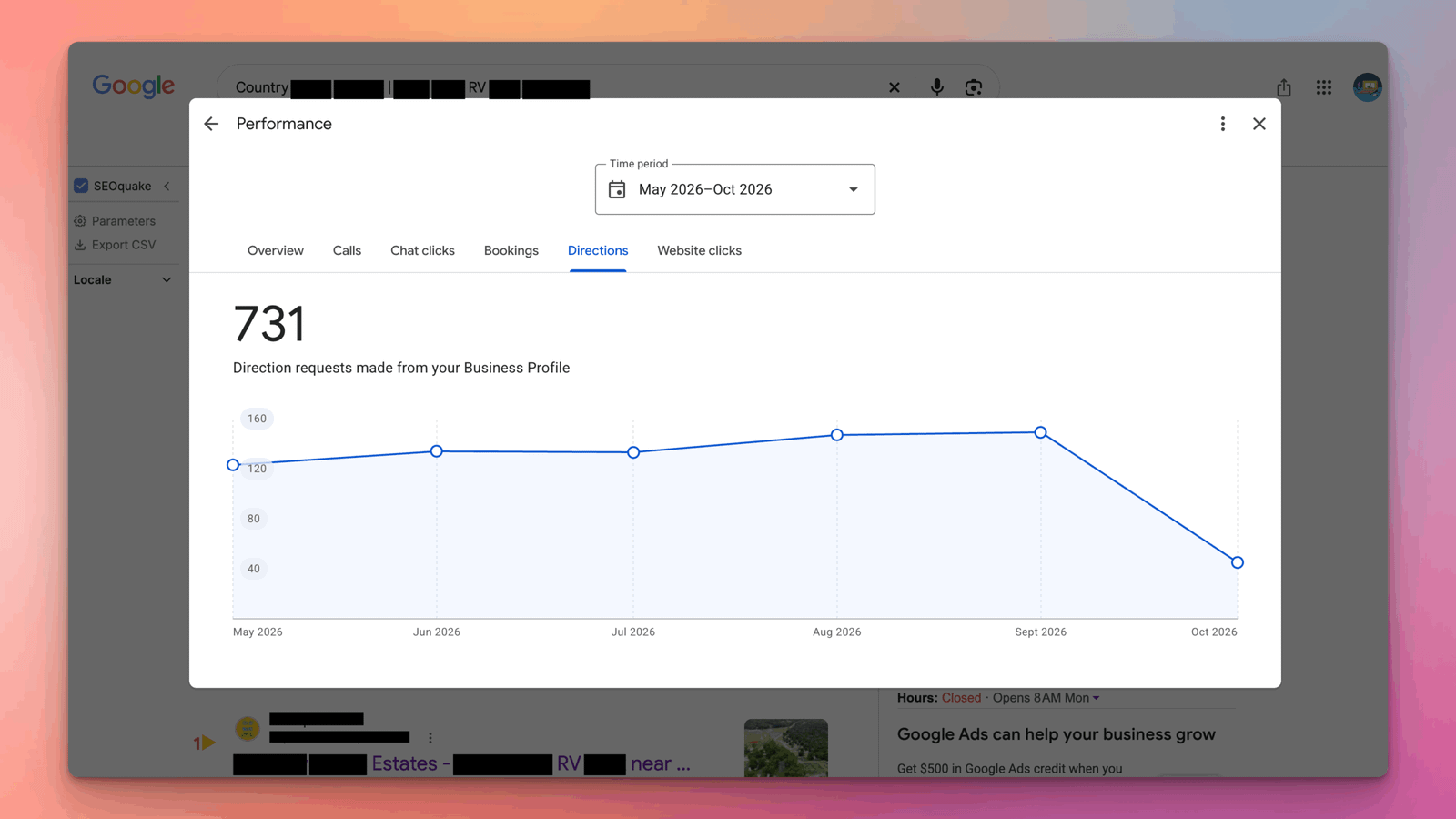
When keywords match real pages that answer guests’ questions, rankings follow. Here are search results for an RV park client of mine:
How to track your keywords
Check these once a month, not every day. Rankings move around, and trends matter more than single days:
- Google Search Console: clicks, impressions and average position for your main keywords, and new searches you start showing up for.
- Google Business Profile performance: the “Searches” list, plus calls, website clicks and direction requests.
- Manual checks: search your top 5 keywords on your phone from a few spots around your area, and note who shows in the top 3 on Google Maps.
- Bookings: rankings only matter if they bring guests, so match them with your booking software’s “how did you hear about us” answers.
My RV park SEO guide covers the rest of the plan, from Google profile and reviews to links and structured data.
6 keyword mistakes
- Targeting only “rv park near me”. Highway, attraction, monthly and rig searches are often easier to win and book just as well.
- One page for everything. A single page can’t rank for monthly, overnight, snowbird and attraction searches at once.
- Using keywords for things you don’t offer. Guests who expect a pool and find none leave a bad review.
- Stuffing keywords and town lists. It reads badly and breaks Google’s spam policies.
- Adding keywords to your Google profile name. It risks suspension.
- Ignoring small search volumes. In a small town, 20 searches a month from people ready to book is worth a page.
Keep reading
Related guides for park owners
Google profile
Google Business Profile for RV Parks
Categories, attributes and photos that win on Google Maps.
RV park keywords FAQ
Frequently asked questions
Answers to what park owners ask most about keywords and rankings.
QWhat are the best SEO keywords for an RV park?
The ones with your location in them: “rv park [city]”, “rv parks near [attraction]”, “monthly rv sites [city]”, “big rig friendly rv park [city]” and “pet friendly rv park [city]”. Guests search by place first, then by stay length, rig size, amenities and price.
QHow do I find keywords for my RV park?
Type your main searches into Google and note the suggestions and “People also ask” questions. Check Google Search Console and your Google Business Profile’s search terms, look up volumes in Google Keyword Planner, and use the words guests use in reviews and calls.
QShould I put “near me” on my RV park website?
No. Google uses the searcher’s location for “near me” searches. Focus on your town, nearby attractions and highways, a complete Google Business Profile and good reviews instead.
QCan I add keywords to my Google Business Profile name?
No. Google’s guidelines say your profile name should match your real-world name, and adding unnecessary information can get your profile suspended. Use keywords in your description, services, attributes and posts instead.
QHow many keywords should each page target?
One main topic per page, with a few close variations. Your monthly sites page can target “monthly rv sites [city]”, “long term rv park [city]” and “rv lot rent [city]” together, because they mean the same thing.
QShould I make a page for every nearby town?
Only if you have something genuinely useful to say about that town, such as directions, distances and what guests do there. Near-identical town pages can count as doorway pages under Google’s spam policies.
QHow long does it take to rank for RV park keywords?
It depends on your competition and your site. Searches for your park’s name and your exact town often move within weeks, while competitive searches near big attractions take months of good pages, reviews and local links.
QCan you do keyword research for my RV park?
Yes. Keyword research and mapping are part of my RV park SEO services. See the pricing page, or book a free call and I’ll show you the searches your park should rank for.
Sources
Sources
Checked in October 2026.
- Google Business Profile Help, Tips to improve your local ranking on Google
- Google Business Profile Help, Guidelines for representing your business on Google
- Google Search Central, Spam policies for Google web search
- Google Business Profile Help, Understand your Business Profile performance
- RMS, 2026 State of the Outdoor Accommodation Report (via Hospitality Net)
- Campspot and OHI, The Data Dig: 2026 Occupancy Outlook
Rank for the searches that fill your sites
Book a free 30-minute call. I’ll look up the searches around your park, check which ones you already show up for, and send you a keyword map for your website and Google profile, whether you hire me or not.

About the author
Mehedi Hasan is the founder of Hawkto Digital and is Google, HubSpot and Semrush certified. He has run local SEO, reviews, email, Google Ads and Meta ads for a long-term RV park in Oklahoma since 2023, and marketing for local businesses across the US. Read his story or see pricing.