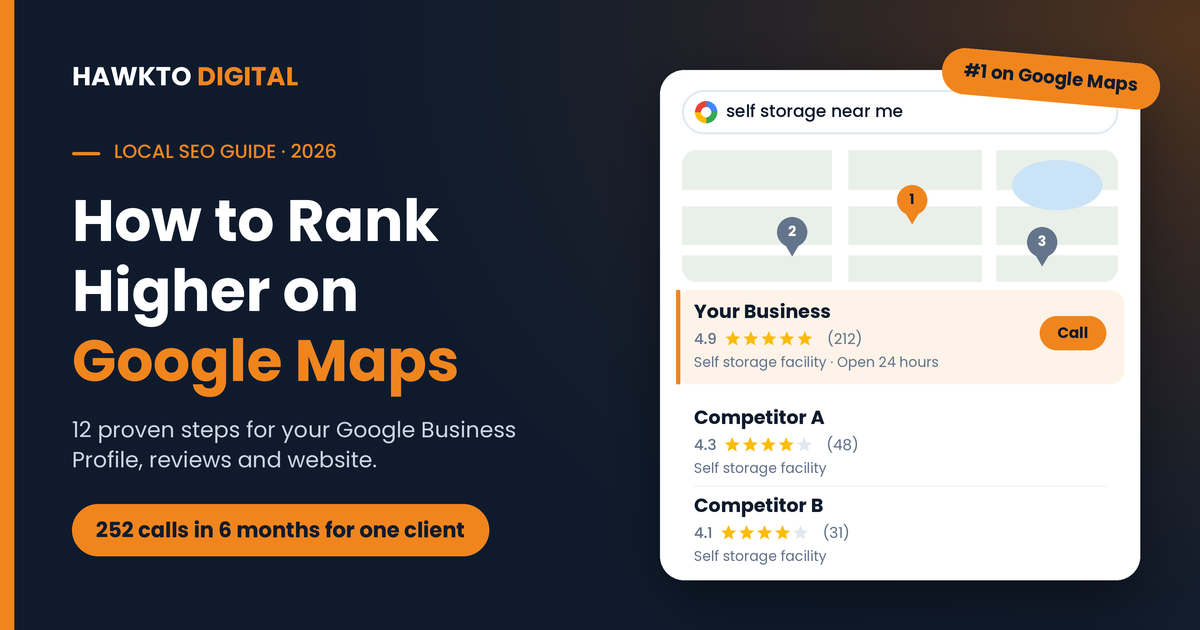
How to Rank Higher on Google Maps in 2027: 12 Proven Steps
Quick answer
To rank higher on Google Maps, verify your Google Business Profile, choose the most accurate primary category, fill in every section, keep your name, address and phone number identical everywhere, earn a steady flow of Google reviews and reply to all of them, add real photos regularly, and link your profile to a fast location page on your website. Google ranks local results on three things: relevance, distance and prominence.
When someone searches “plumber near me” or “self storage near me”, Google shows a map with three businesses underneath it. That map pack is where most local calls come from, and the businesses in it are rarely there by accident.
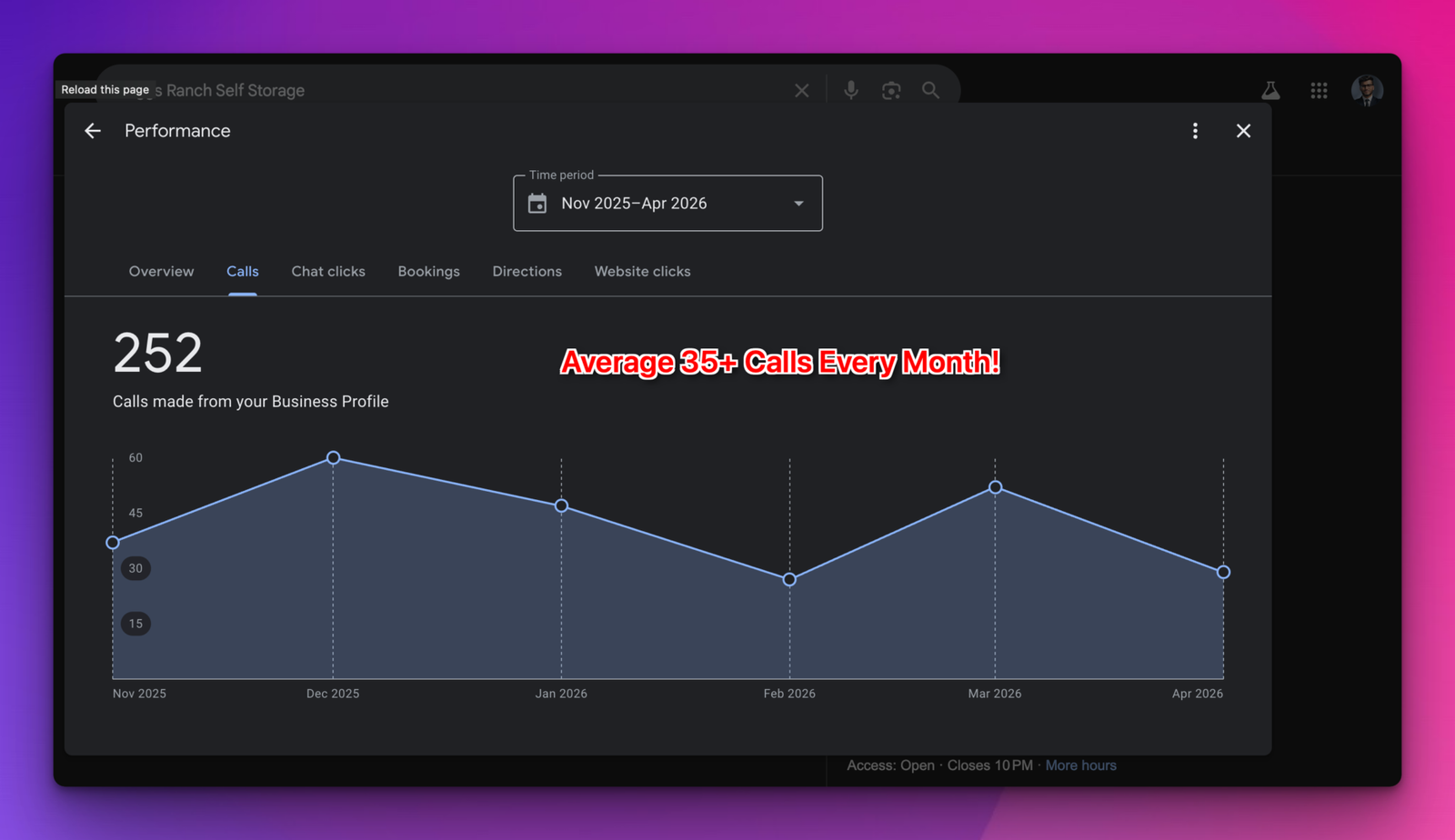
I have spent the last few years optimizing Google Business Profiles for local businesses across the US, from self-storage facilities to RV parks and home services. One of them, Briggs Ranch Self Storage, got 252 calls straight from its Google Business Profile between November 2025 and April 2026. That is more than 35 calls a month from a free listing.
This guide covers the exact 12 steps I use to help businesses rank higher on Google Maps. No tricks, nothing that risks a suspension, just what Google actually rewards.
In this guide
How Google decides who ranks on Google Maps
Google is unusually open about this. According to its guide to local ranking, local results are based mainly on three factors:
- Relevance: how well your Business Profile matches what someone is searching for.
- Distance: how far your business is from the person searching, or from the location named in their search.
- Prominence: how well-known your business is, based on things like links to your website, your reviews and your ratings.
Google also says plainly that “there’s no way to request or pay for a better local ranking.” You cannot move your building closer to every customer, so the work focuses on the two factors you control: relevance and prominence. Every step below improves one or both.
12 steps to rank higher on Google Maps
Step 1: Claim and verify your Google Business Profile
You cannot rank higher on Google Maps without a verified profile, so everything starts here. Go to google.com/business, search for your business and claim it, or create a new profile if none exists. Google will then ask you to verify that you own the business. Depending on your business, the options can include a video recording, a phone call or text, an email or a postcard.
An unverified profile cannot rank to its full potential, and anyone can suggest edits to it. If a former employee, an old agency or a family member set up your profile years ago, request access from inside Google Business Profile instead of creating a second listing. Duplicate profiles split your reviews and confuse Google.
Step 2: Choose the right primary category
Your primary category tells Google what your business is, and local SEO experts consistently rank it among the strongest Google Maps ranking factors. Get it wrong and you can be invisible for your most valuable searches, no matter how many reviews you have.
Google’s own rule is simple: use as few categories as possible to describe your core business, and pick categories that complete the sentence “This business is a…”, not “This business has a…” Then add secondary categories only for services you actually provide. A self-storage facility, for example, might use Self storage facility as its primary category and RV storage facility and Boat storage facility as secondary ones.
Pro tip: Search your main keyword, open the top three businesses in the map, and check their categories with a free Chrome extension like GMB Everywhere. If all three share a primary category that you are not using, that is usually your biggest quick win.
Step 3: Use your real business name, with no keyword stuffing
Adding keywords to your name (“Smith Plumbing | Best Emergency Plumber Dallas”) can give a short-term bump, but it breaks Google’s guidelines for representing your business and is one of the most common reasons profiles get suspended. Google wants your name exactly as it appears on your signage, stationery and branding.
The same guidelines rule out virtual offices and P.O. boxes. If you serve customers at their location and do not have a storefront, set your profile up as a service-area business and hide your address instead of renting a fake one.
Step 4: Fill in every section of your profile
A complete profile gives Google more information to match you with searches, and it gives customers fewer reasons to pick someone else. It is also one of the cheapest ways to rank higher on Google Maps. Work through every field:
- Hours, including special hours for holidays. Wrong hours lead to angry reviews.
- A local phone number that you actually answer.
- Website link pointing to the most relevant page (more on this in Step 10).
- Services, each with a short description that uses the words your customers search for.
- Products, if you sell anything specific.
- Attributes such as wheelchair access, online appointments or women-owned.
- Business description of up to 750 characters: what you do, who you help and where. No links or promotions.
- Service areas, if you travel to customers.
- Booking or quote link, if you take appointments.
Step 5: Keep your name, address and phone number identical everywhere
Your name, address and phone number (often called NAP) appear on dozens of sites besides Google: Apple Business Connect, Bing Places, Yelp, Facebook, the BBB, Nextdoor and industry directories like SpareFoot for storage or Angi for home services. These listings are called citations.
When they all match your Google Business Profile, Google can trust that your information is correct. When they disagree, because of an old phone number, a previous address or a slightly different business name, that trust weakens. Search your business name and old phone numbers, then fix or claim every listing you find. Use exactly the same format each time, down to “Suite 200” versus “Ste 200”.
Step 6: Get more Google reviews, every single month
Reviews are one of the most reliable ways to rank higher on Google Maps. Google states that prominence is based partly on “how many reviews you have” and that “more reviews and positive ratings can help your business’s local ranking.” Reviews are also what customers read before deciding to call.
Make asking for reviews a routine, not a campaign:
- Create your review link or QR code from inside your profile (Google explains how here).
- Ask right after a good experience, while the customer is still happy.
- Send the link by text or email so leaving a review takes one tap.
- Put the QR code at your front desk, on receipts and on invoices.
- Ask every customer, not just the happy ones. Google treats selectively asking for positive reviews as a policy violation.
Never buy reviews or offer discounts in exchange for them. Google prohibits incentives, removes fake reviews and can restrict profiles that use them. A steady flow of genuine reviews every month beats a sudden burst followed by silence.
Step 7: Reply to every review, good and bad
Google’s own advice is that replying to reviews “shows that you value their feedback.” It also shows future customers that a real person runs the business.
Reply within a day or two. Thank happy customers by name and mention the service they used in a natural way (“Glad the climate-controlled unit worked out for your move”). For negative reviews, stay calm, apologize for the experience, and move the conversation offline with a phone number or email. A professional reply to a bad review often wins more trust than a page of five-star ratings.
Step 8: Add real photos and videos regularly
Profiles with plenty of recent, genuine photos look active and trustworthy. Google recommends using photos and videos to “show customers what you offer and tell the story of your business.”
Upload a few new photos every month: your storefront or entrance (so people recognize it when they arrive), the inside, your team, your vehicles and finished jobs. Skip stock photos and heavy filters. Short videos of your space or your work are a bonus.
Myth to skip: Paying someone to geotag your photos. Tests by local SEO experts have shown it makes no measurable difference to rankings. Spend that money on getting more reviews instead.
Step 9: Post updates every week
Google Business Profile lets you publish posts with a photo, a short message and a button: an offer, an event, a new service or simply news. Posts do not move rankings much on their own, but a profile that is updated every week looks active to customers and gives Google fresh information about what you offer.
Keep it simple: one post a week, a real photo, two or three sentences and a clear button such as “Call now” or “Book”.
Step 10: Build a strong location page on your website
Your website is the part of Google Maps SEO that most businesses forget. Google reads your website to confirm what you do and where you do it. The page your Business Profile links to should back up everything on the profile. For a single-location business that is usually your homepage; for multiple locations, give each one its own page.
A strong location page has:
- The city and main service in the page title and main heading.
- Your name, address and phone number, matching your profile exactly.
- An embedded Google Map and clear directions.
- Your services, real photos and a few customer reviews.
- LocalBusiness schema markup so search engines can read your details.
- Fast loading on phones. Google’s Core Web Vitals targets are LCP under 2.5 seconds, INP under 200 ms and CLS under 0.1.
If your current site is slow or does not have proper location pages, that is often what holds a good profile back. It is a big part of how I approach website development for local businesses.
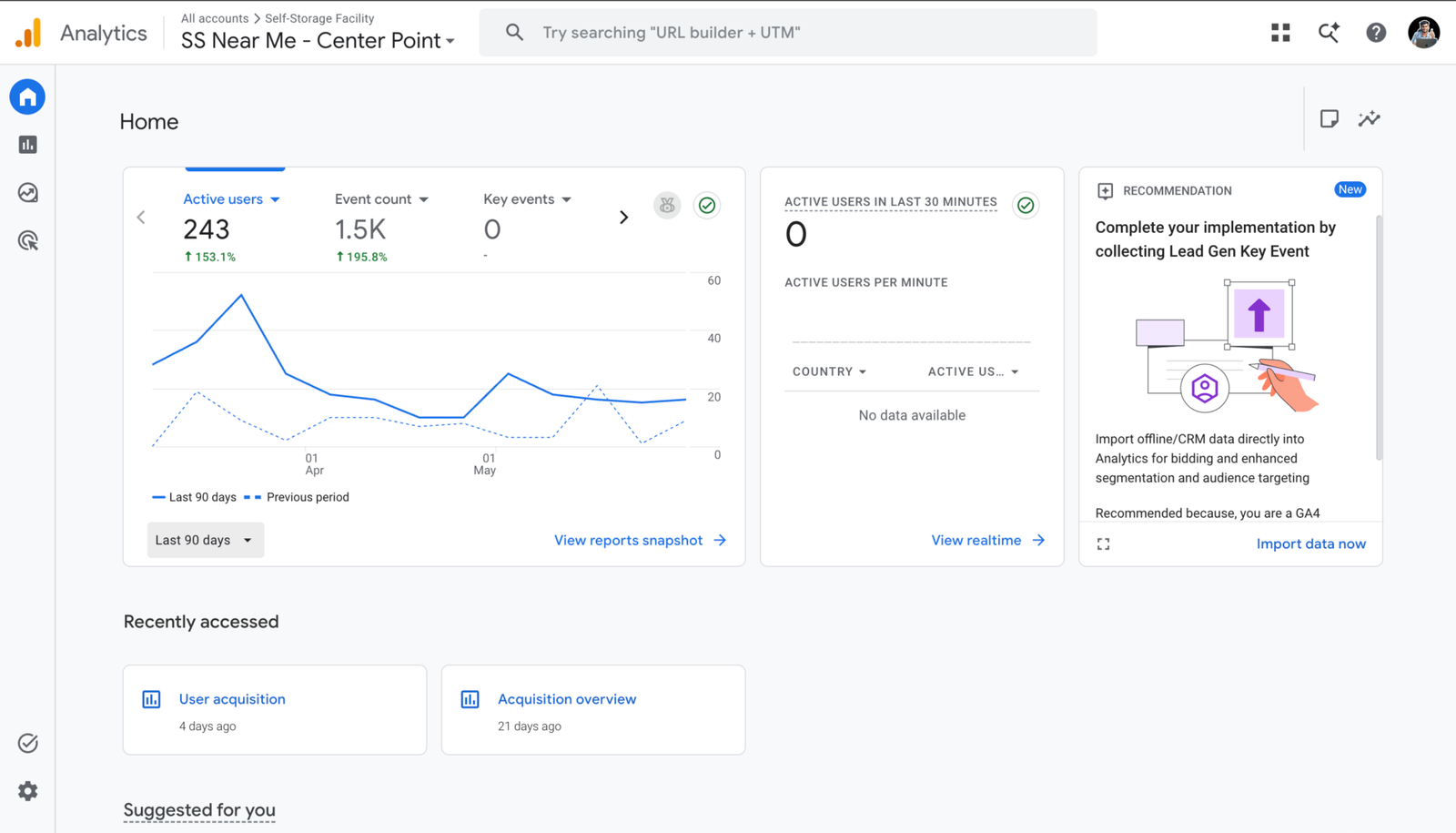
Step 11: Earn local links and mentions
Google also lists “how many websites link to your business” as part of prominence. For local businesses, the most valuable links come from your own community:
- Your local chamber of commerce and business associations.
- Sponsoring a youth sports team, charity run or community event.
- Local news stories, interviews and “best of” lists.
- Suppliers, partners and complementary businesses you work with.
A handful of real local links beats hundreds of cheap ones. Never buy links in bulk; it wastes money and can hurt your site.
Step 12: Track your rankings the right way
Google Maps results change depending on where the searcher is standing. Searching from your own office will almost always show you in a better position than customers across town see, so it gives you a false picture.
Use a geo-grid rank tracker such as Local Falcon, BrightLocal or Semrush’s Map Rank Tracker. They check your position from dozens of points across your service area and show the results as a map. Then watch the numbers that actually pay the bills in your profile’s Performance report: calls, direction requests and website clicks.
Watch the full walkthrough
Prefer video? In this walkthrough I go through a Google Business Profile optimization on screen, step by step, so you can follow along with your own profile.
Real results from a local business
These steps are not theory. Briggs Ranch Self Storage went through a full Google Business Profile optimization using the same process I use to help any business rank higher on Google Maps, and the calls followed: 252 phone calls from the profile alone in six months, an average of more than 35 every month.
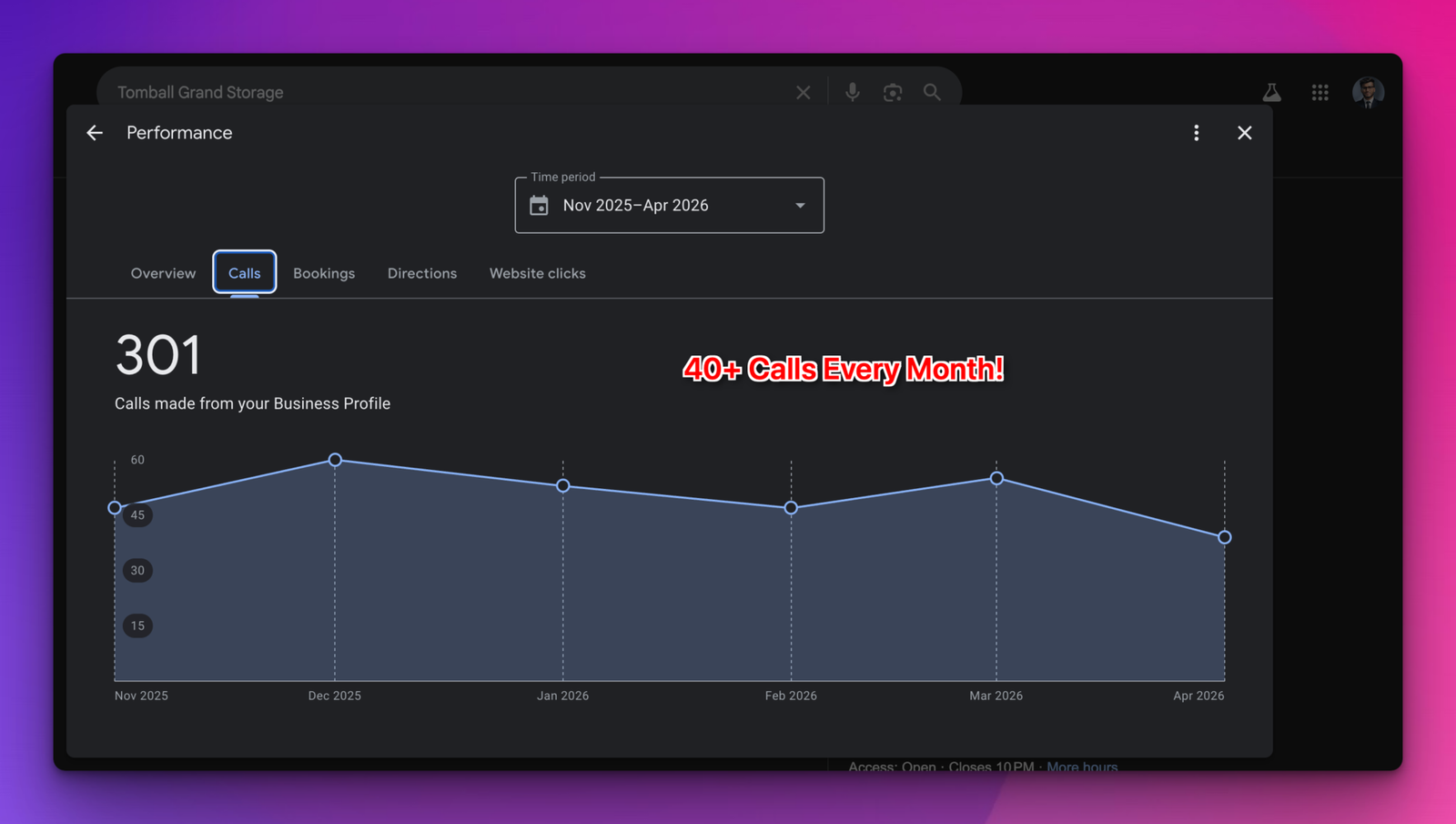
Tomball Grand Storage saw the same pattern after its profile was rebuilt and kept active with fresh photos, posts and review replies.
You can see more client results on my about page, or read how I handle local SEO from start to finish.
Mistakes that hurt your Google Maps rankings
Most businesses that fail to rank higher on Google Maps are not missing some secret trick. They are making one of these mistakes:
| Mistake | Why it hurts | What to do instead |
|---|---|---|
| Keywords in your business name | Breaks Google’s guidelines and is a top reason for suspensions | Use your real-world business name |
| Virtual office or P.O. box address | Not eligible for a profile; risks suspension | Use your real location or a service-area setup |
| Duplicate profiles | Splits your reviews and confuses Google | Remove or merge duplicates through Google support |
| Buying or rewarding reviews | Prohibited; reviews get removed and profiles restricted | Ask every customer with your review link |
| Mismatched name, address or phone | Weakens Google’s trust in your details | Fix your top directories and citations |
| Ignoring reviews | Looks inactive and loses customers to competitors | Reply to every review within a day or two |
| Linking to a weak or wrong page | Gives Google less proof of what you do | Link to a fast, matching location page |
How long does it take to rank higher on Google Maps?
It depends on how competitive your area is, where your business sits relative to your customers, and the state of your profile when you start. As a rule of thumb:
- First few weeks: fixing your primary category, completing your profile and linking it to the right page can show early movement.
- Months two to six: reviews, citations, photos and local links build on each other, and rankings climb across more of your service area.
- Ongoing: Maps rankings are not “set and forget”. Competitors keep collecting reviews, so the businesses that stay on top keep their profiles active every month.
If you want results faster and can afford it, Google Ads can put your business at the top of the page while your organic Maps rankings grow.
Google Maps FAQ
Frequently asked questions
Quick answers to what local business owners ask most about ranking on Google Maps.
QHow do I get my business to show up on Google Maps?
Create a free Google Business Profile at google.com/business, verify it, and fill in every section: category, hours, services, photos and a link to your website. Once it is verified, your business can appear on Google Maps and in the local results on Google Search.
QCan I pay Google to rank higher on Google Maps?
No. Google says there is no way to request or pay for a better local ranking. You can pay for ads that show your business in sponsored spots on Google Maps, but those are ads, not organic rankings. Your organic position comes from relevance, distance and prominence.
QWhy is my business not showing up on Google Maps?
The most common reasons are an unverified or suspended profile, a primary category that does not match what people search, a new profile with few reviews, duplicate listings, or the searcher simply being too far away. Start by checking that your profile is verified and live, then work through the steps in this guide.
QDo Google reviews help you rank higher on Google Maps?
Yes. Google says prominence is based partly on how many reviews you have, and that more reviews and positive ratings can help your local ranking. Recent reviews and your replies also make customers more likely to call you over a competitor.
QHow long does it take to rank higher on Google Maps?
Fixes like the right category and a complete profile can show movement within a few weeks. Reviews, citations and local links build up over three to six months. Results depend on how competitive your area is and where your business is located.
QDoes my website affect my Google Maps ranking?
Yes. Google uses your website to understand what you do and where you do it, and links to your site count toward prominence. A fast location page that matches your Business Profile helps your profile rank and turns more of those visitors into customers.
Want your business in the Google Maps 3-pack?
I will review your Google Business Profile, show you exactly what is holding it back, and tell you what to fix first to rank higher on Google Maps. Free, in a 30-minute call. No pressure, no upsells.

About the author
Mehedi Hasan is the founder of Hawkto Digital and is Google, HubSpot and Semrush certified. He helps local businesses across the US and Australia get more calls through Google Business Profile optimization, local SEO, Google Ads and fast WordPress websites. Read his story or see pricing.