RV Park Email & Text Marketing: 9 Automations That Fill Sites
Quick answer
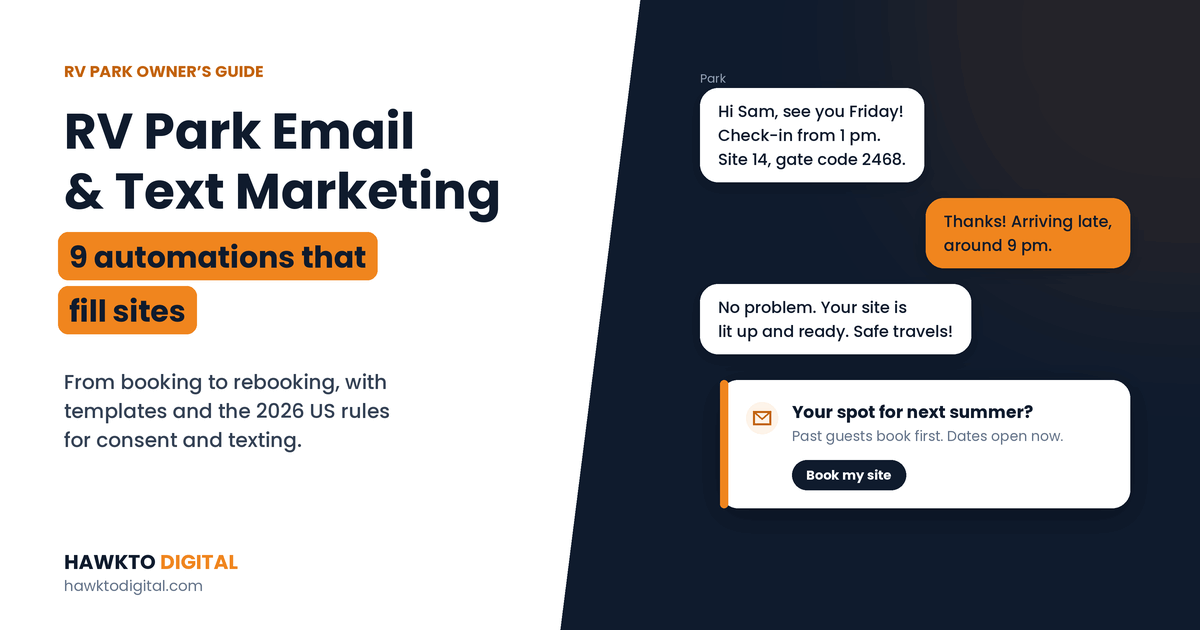
RV park email and text marketing works best as a set of automations along the guest journey. Before arrival: a confirmation that sells add-ons, a pre-arrival text with check-in details, and a follow-up for unfinished bookings. During and after the stay: a welcome text, a check-in for longer stays and a review request. Then bring guests back with a come-back-next-season email, slow-period offers and a monthly newsletter, all sent with proper consent.
Most RV parks spend money to win a guest, then never contact them again. That’s backwards: your past guests already know your park, trust you and are the cheapest bookings you’ll ever get. Email and text messages, set up once and sent automatically, turn one stay into many.
I set up and write email marketing for Country Home Estates, a long-term RV park in Oklahoma I’ve marketed since 2023, including monthly resident newsletters in MailerLite. This guide covers the 9 RV park email marketing and text automations I recommend, when to send each one, copy-paste templates, and the US rules that keep your messages legal and out of the spam folder.
In this guide
For RV park owners
Want this done for your park?
I have marketed a long-term RV park in Oklahoma since 2023: Google Maps, Google Ads, Facebook ads, the website and resident newsletters. See how I can help with RV park marketing.
Email or text: when to use each
| Text message | ||
|---|---|---|
| Best for | Details, photos, newsletters, offers | Short, urgent, on-the-road information |
| Guest is likely to | Read it later, at home or while planning | Read it within minutes |
| Consent for marketing | Opt-out based (CAN-SPAM) | Clear written consent needed |
| Setup | An email tool and a verified sending domain | A texting tool and A2P 10DLC registration |
| Use it for | Confirmations, rebooking, newsletters | Pre-arrival, welcome, check-ins, review requests |
Use both, for different jobs. Email carries the detail, and text messages carry the moment.
Before you start: consent and the rules
A few rules protect your guests, your phone number and your sender reputation. This is a plain-English summary, not legal advice.
- Ask for consent at booking. Add two separate checkboxes to your booking form: one for texts about the reservation, and an unchecked one for offers and park news by email or text. Keep a record of who agreed and when.
- Follow CAN-SPAM for marketing emails. Use accurate sender details and honest subject lines, include your postal address and a clear way to opt out, and honor opt-outs within 10 business days. Penalties can reach $53,088 per email. Transactional messages such as confirmations are exempt from most of these rules (FTC).
- Get written consent before marketing texts. Make opting out easy (“Reply STOP”) and stop immediately when someone opts out.
- Register your texting number. Business texts from regular 10-digit numbers need A2P 10DLC registration, and since February 1, 2025, major US carriers block unregistered traffic. Your texting provider handles the registration, usually for small one-time and monthly fees (DailyStory).
- Text between 8 am and 9 pm in the guest’s time zone. Lawsuits over marketing texts sent outside those hours have been growing (InfoLawGroup).
- Authenticate your email domain. Set up SPF and DKIM for your sending domain, and DMARC if you send in bulk. Yahoo requires at least SPF or DKIM for all senders and expects spam complaints below 0.3% (Yahoo Sender Hub). Your email tool walks you through the setup.
9 RV park email and text automations that fill sites
Here’s the full sequence at a glance. Tap a name to jump to it.
| Automation | Channel | When it sends |
|---|---|---|
| 1. A booking confirmation that sells the stay | Right after booking | |
| 2. A pre-arrival text with everything they need | Text | 1–2 days before arrival |
| 3. A follow-up for unfinished bookings | 1–24 hours after they stop | |
| 4. A welcome text on arrival day | Text | Day of arrival |
| 5. A quick check-in for longer stays | Text | Day 2–3 of stays of a week or more |
| 6. A review request after checkout | Email or text | 1–2 days after checkout |
| 7. A “come back next season” email | About 10 months after their stay | |
| 8. Offers for slow periods | Email or text | 2–4 weeks before a slow period |
| 9. A monthly newsletter for residents and regulars | Monthly |
Part 1 · Before they arrive
1. A booking confirmation that sells the stay
EmailRight after booking
Every guest opens their confirmation, so make it work harder than a receipt. Include the dates, site number and total, then everything that prevents a phone call: directions for big rigs, check-in and quiet hours, pet rules and the cancellation policy. Add one or two relevant add-ons, such as firewood, a golf cart or an extra night, with a link to add them.
Keep the add-on offer short and below the booking details. A confirmation whose main purpose is the booking stays a transactional message, which matters under CAN-SPAM (see the rules section below).
Set it up: Open your reservation system’s confirmation template and add directions, rules and one add-on link.
2. A pre-arrival text with everything they need
Text1–2 days before arrival
RVers are often driving when they need your information, so a short text beats an email here. Send check-in times, the site number, after-hours instructions and any gate code, plus the best entrance for large rigs. It cuts down on calls to the office and late arrivals who can’t find their site.
Pre-arrival text
Hi [Name], it’s [Park]. See you on [date]! Check-in is from [time]. Arriving after hours? You’re in site [#] and the gate code is [code]. Big rigs, please use the [Road] entrance. Questions? Just reply to this text.
Set it up: Turn on automated pre-arrival messages in your reservation system, or schedule them in your texting tool.
3. A follow-up for unfinished bookings
Email1–24 hours after they stop
Some guests start a booking and stop at the payment step. If your booking system captures their email and they agreed to hear from you, a short reminder with a link back to their dates can recover the booking. Keep it helpful, not pushy: “Your site is still available for [dates]. Need help? Reply to this email.”
Not every reservation system supports this, so check yours before building it elsewhere.
Set it up: Ask your reservation software provider whether it offers abandoned-booking emails, and switch them on if it does.
Part 2 · During and after the stay
4. A welcome text on arrival day
TextDay of arrival
A friendly welcome with the Wi-Fi password, office hours, an emergency number and this week’s events makes guests feel looked after from the start. Invite them to reply with any problem. Guests who can reach you easily fix problems by text instead of in a review.
Set it up: Write one welcome text and schedule it for mid-afternoon on arrival day.
5. A quick check-in for longer stays
TextDay 2–3 of stays of a week or more
For weekly and monthly guests, a short “How is everything with your site?” message catches small issues, like a weak pedestal, a noisy neighbor or slow Wi-Fi, while you can still fix them. It’s the cheapest reputation protection a park can buy.
Set it up: Create a check-in text that goes only to stays of seven nights or longer.
6. A review request after checkout
Email or text1–2 days after checkout
Recent reviews win bookings: 74% of consumers look for reviews written in the last three months (BrightLocal 2026). Ask every guest, a day or two after they leave, with a direct link to your Google review form.
Ask everyone, not just happy guests, and never offer a discount or reward for a review. Google’s policy prohibits both selectively asking for positive reviews and rewarding reviews (Google’s fake engagement policy).
Review request text
Thanks for staying with us, [Name]! If you have a minute, would you share a quick Google review? It helps other RVers find us: [link]. Reply STOP to opt out.
Set it up: Add an automatic review request to every checkout, with your direct Google review link.
Want these automations set up for you?
In a free 30-minute call I’ll look at your reservation system, your guest list and your current emails, and show you which automations will bring back the most bookings.
Part 3 · Bring them back
7. A “come back next season” email
EmailAbout 10 months after their stay
Past guests are the easiest bookings you’ll ever get. Across Campspot parks, the median stay in 2025 was 3 nights (Campspot 2025 year in review), so most of your guests are short-stay travelers who may not think of you again unless you remind them. Email them before the same season comes around, mention when they stayed, and give past guests first access to next season’s dates.
Rebook email
Subject: Your spot at [Park] for next [season]?
Hi [Name], last [month] you stayed with us at [Park]. Next [season]’s dates are now open to past guests before anyone else. Book by [date] to get your favorite site: [link]. See you down the road, [Your name]
Set it up: Create a list of last year’s guests and schedule a past-guests-first email before your next busy season opens.
8. Offers for slow periods
Email or text2–4 weeks before a slow period
When you can see empty weeknights or a slow month coming, send an offer to past guests who live within a few hours’ drive. Keep it specific: “Stay 3 weeknights, pay for 2, Sunday to Thursday in March.” Send texts only to guests who agreed to receive marketing texts, and keep marketing texts to a few a month. My guide on how to increase RV park occupancy covers more ways to fill those nights.
Set it up: Check next month’s calendar for your weakest week and write one offer email for it.
9. A monthly newsletter for residents and regulars
EmailMonthly
For monthly residents and seasonal regulars, a short newsletter keeps people informed and renewing: park news, maintenance notices, upcoming events, a resident spotlight and a reminder to renew. For Country Home Estates, a long-term RV park in Oklahoma, I send monthly resident newsletters, including a Route 66-themed campaign built to bring in Google reviews. Here are some of the email campaigns I’ve run for that RV park:

Keep it short, with one main story and one clear action each month. My guide on long-term RV park tenants covers how to keep residents longer.
Set it up: Pick one day each month for your newsletter and plan the next three issues in one sitting.
Tools and what they cost
- Your reservation system first. Many include automated confirmations, pre-arrival messages and sometimes texts. Use what you already pay for before adding another tool.
- An email marketing tool for newsletters, offers and rebooking emails. MailerLite, which I use for Country Home Estates, is free for up to 250 subscribers and 2,500 emails a month, with paid plans from $12 a month.
- A texting tool with two-way messaging and 10DLC registration built in, if your reservation system doesn’t text. Expect small registration fees plus a per-message cost.
How to measure results
For context, MailerLite’s 2025 benchmarks put travel and transportation emails at a 30.10% open rate, a 1.68% click rate and a 0.13% unsubscribe rate. But open rates are inflated: Apple Mail Privacy Protection marks emails as opened automatically, so opens look better than they really are. Judge your emails by what matters instead:
- Bookings: add UTM tags to every link so Google Analytics shows bookings from each email.
- Clicks: which links people actually tap.
- Replies: texts and emails that start a conversation.
- Reviews: new Google reviews in the weeks after you start asking.
- Unsubscribes: if they jump after an email, you’re sending too often or the wrong offer.
6 email and text mistakes
- Collecting emails and never using them. A guest list sitting in your reservation system earns nothing.
- Texting without consent or registration. Unregistered texts get blocked, and unwanted marketing texts invite complaints.
- Sending marketing texts late at night. Stick to 8 am to 9 pm in the guest’s time zone.
- Asking only happy guests for reviews. It breaks Google’s rules. Ask everyone.
- Blasting the same offer to everyone. Past guests within a short drive and monthly residents need different messages.
- Judging emails by open rates. Track clicks and bookings instead.
Keep reading
Related guides for park owners
Occupancy
How to Increase RV Park Occupancy
15 ways to fill weeknights, gap nights and slow seasons.
RV park email and text FAQ
Frequently asked questions
Answers to what park owners ask most about emailing and texting guests.
QWhat is RV park email marketing?
RV park email marketing is using email to turn bookings into smooth stays and past guests into repeat bookings: confirmations, pre-arrival information, review requests, come-back-next-season emails, slow-period offers and resident newsletters. Most of it can run automatically once it’s set up.
QIs it legal to text my RV park guests?
Messages about a guest’s own reservation are usually fine when they gave you their number for that booking. Marketing texts need clear, written consent and an easy way to opt out, and business texts in the US need A2P 10DLC registration. Send texts between 8 am and 9 pm in the guest’s time zone. This isn’t legal advice, so check with your texting provider or a lawyer for your situation.
QWhat do RV park marketing emails need to include?
Under CAN-SPAM, marketing emails need accurate sender information, an honest subject line, your valid postal address and a clear way to opt out, and you must honor opt-outs within 10 business days. Reservation confirmations and other transactional emails are exempt from most of these rules.
QWhat’s a good email open rate for an RV park?
MailerLite’s 2025 benchmarks put travel and transportation emails at a 30.10% open rate and a 1.68% click rate. Open rates are inflated by Apple Mail Privacy Protection, so judge your emails by clicks and bookings instead.
QWhat email software should an RV park use?
Start with what your reservation system already includes for confirmations and pre-arrival messages. For newsletters and offers, a tool like MailerLite works well for small parks: it’s free for up to 250 subscribers, with paid plans from $12 a month.
QHow often should an RV park email past guests?
Once or twice a month is plenty for most parks: a monthly newsletter or update, plus a well-timed offer before slow periods and a come-back-next-season email. Send texts less often, and only to guests who agreed to receive them.
QCan you set up email marketing for my RV park?
Yes. I set up and write RV park newsletters and email campaigns, starting at $300 for setup and $50 per newsletter. See the pricing page or book a free call.
Sources
Sources
Checked in October 2026. Rules and prices change, and this guide isn’t legal advice.
- FTC, CAN-SPAM Act: A Compliance Guide for Business
- Yahoo Sender Hub, Sender best practices and requirements
- DailyStory, What Is 10DLC Registration?
- InfoLawGroup, Do You Need to Stop Sending Texts at Night/Early Morning?
- MailerLite, Email marketing benchmarks by industry
- MailerLite, Pricing
- Campspot, 2025 Year in Review
- PinMeTo, BrightLocal Local Consumer Review Survey 2026
- Google Maps user-generated content policy, Fake engagement
Turn one stay into many
Book a free 30-minute call. I’ll look at your reservation system, your guest list and your current emails, then send you a written plan for the automations that will bring back the most bookings, whether you hire me or not.

About the author
Mehedi Hasan is the founder of Hawkto Digital and is Google, HubSpot and Semrush certified. He has run email marketing, local SEO, Google Ads and Meta ads for a long-term RV park in Oklahoma since 2023, including monthly resident newsletters. Read his story or see pricing.